
Working With Services (Specials)
Creating a Service Special in LifeSaver Software lets you customize labor, mounting, or other Servic

 October 10, 2025
Viewing a customer’s Work Order history is a valuable way for you to quickly determine, or change, the status of their projects and see the production timeline. This article will show you how to access and understand a customer’s Work Order history so you can easily track progress.
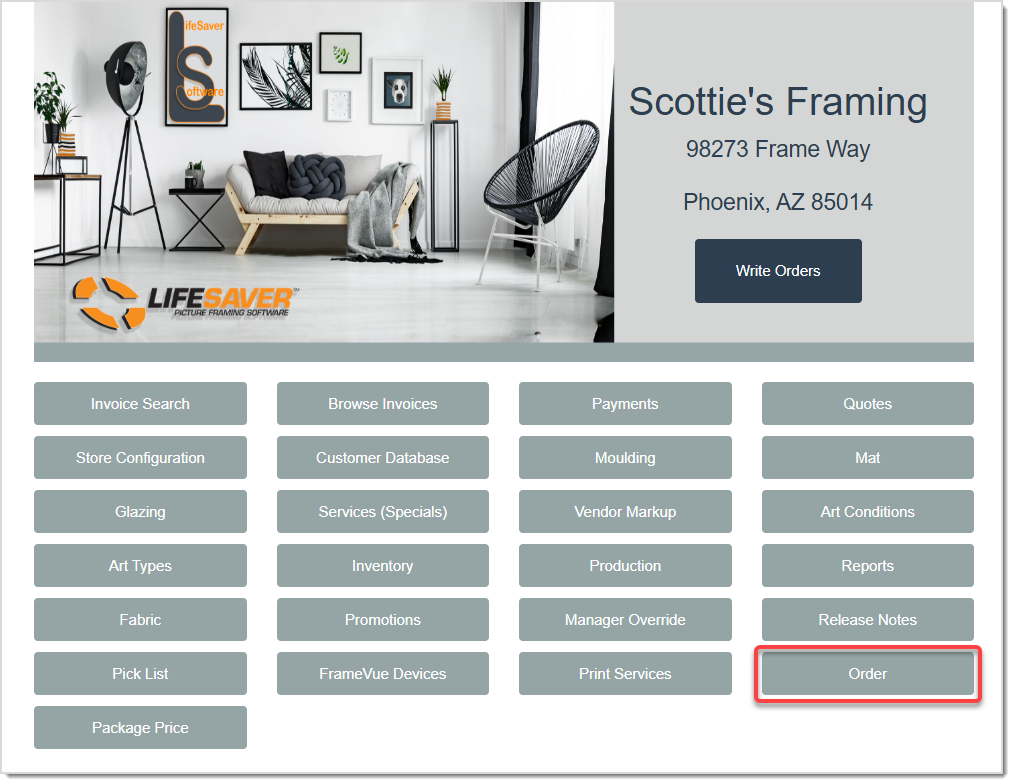
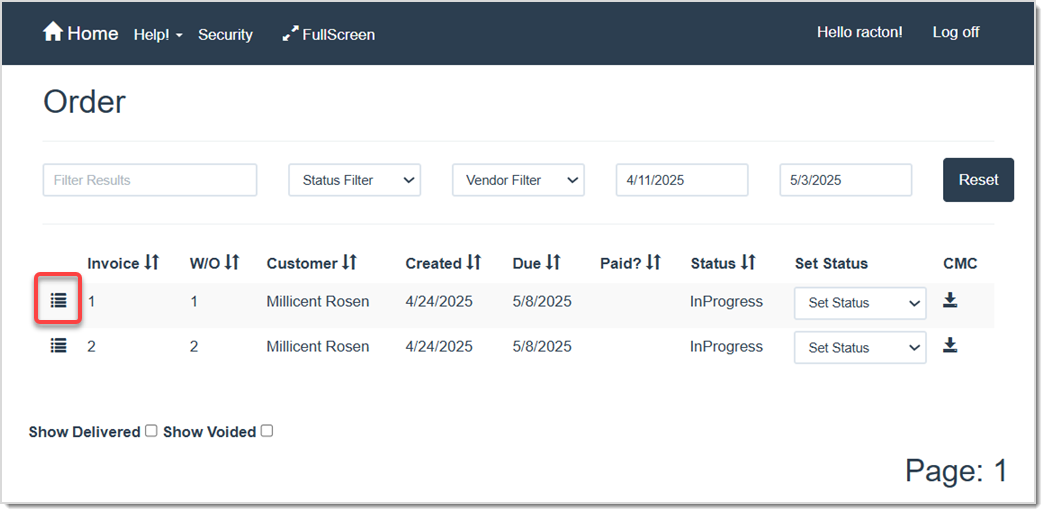
On the Order page, use the Filter Search field to search for the customer you want so you can see the list of their work orders in the table. Click the List Icon on the Invoice / Work Order line item to open the details.
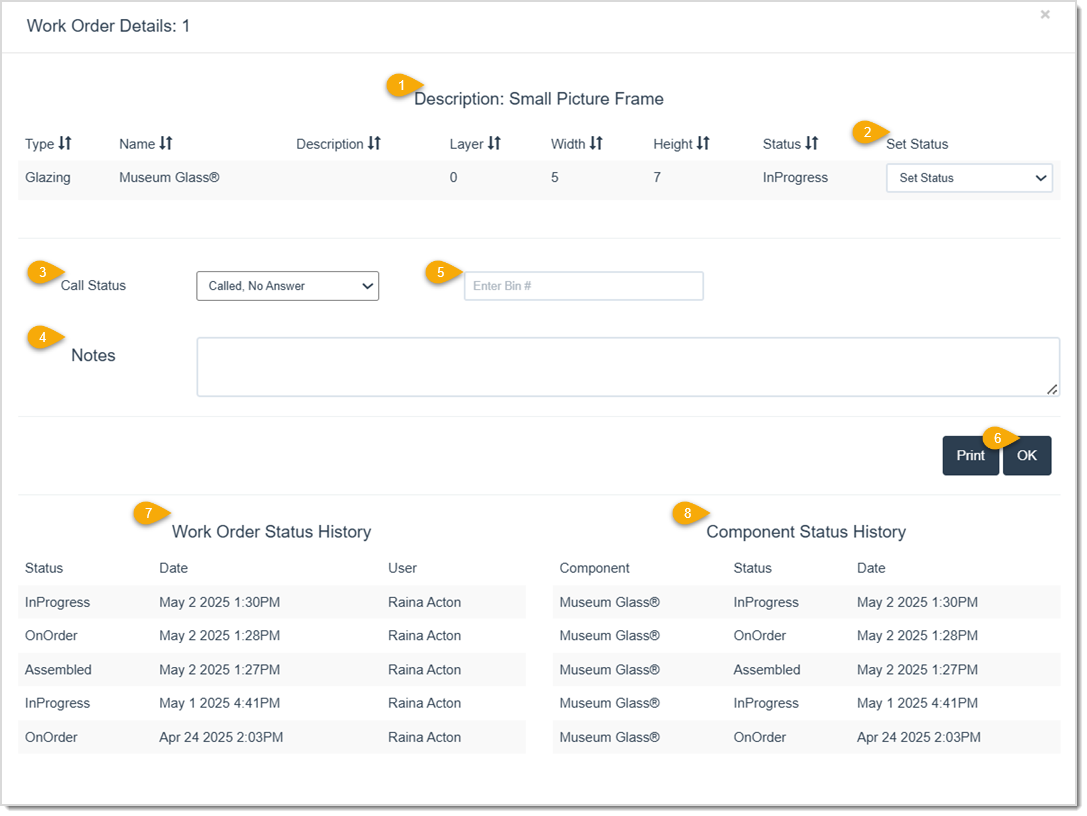
You will see the Work Order and Component Status History at the bottom of the Work Order Details window. This will display the time and date of each production update. See more of the details below:
Q: Can I change production status from the Work Order Details window?
A: No, but you can update individual statuses using the Set Status drop-list on either the Order page or the Work Order Details window.
Q: I have a question, but I can't find my answer here, how do I get more assistance?
A: You can ask any question at the link below, once received one of our technicians will be in touch! If you need immediate assistance, the LifeSaver Software team is available Monday through Friday, from 9:00am to 6:00pm Eastern time. Feel free to contact our support team at: 1-800-381-0600, extension 2. Or you can email us at support@lifesaversoft.com and we will respond within 24-hours.
Is this page helpful?
×Help us improve our articles