
Your Processing Payment Portal
Payment Portal The Payment Portal is a dashboard included as part of our payments offering. It allow

 October 13, 2025
The Work Order Reports offer a quick view of your work orders across a given timeframe or a look at the statuses of your work orders.
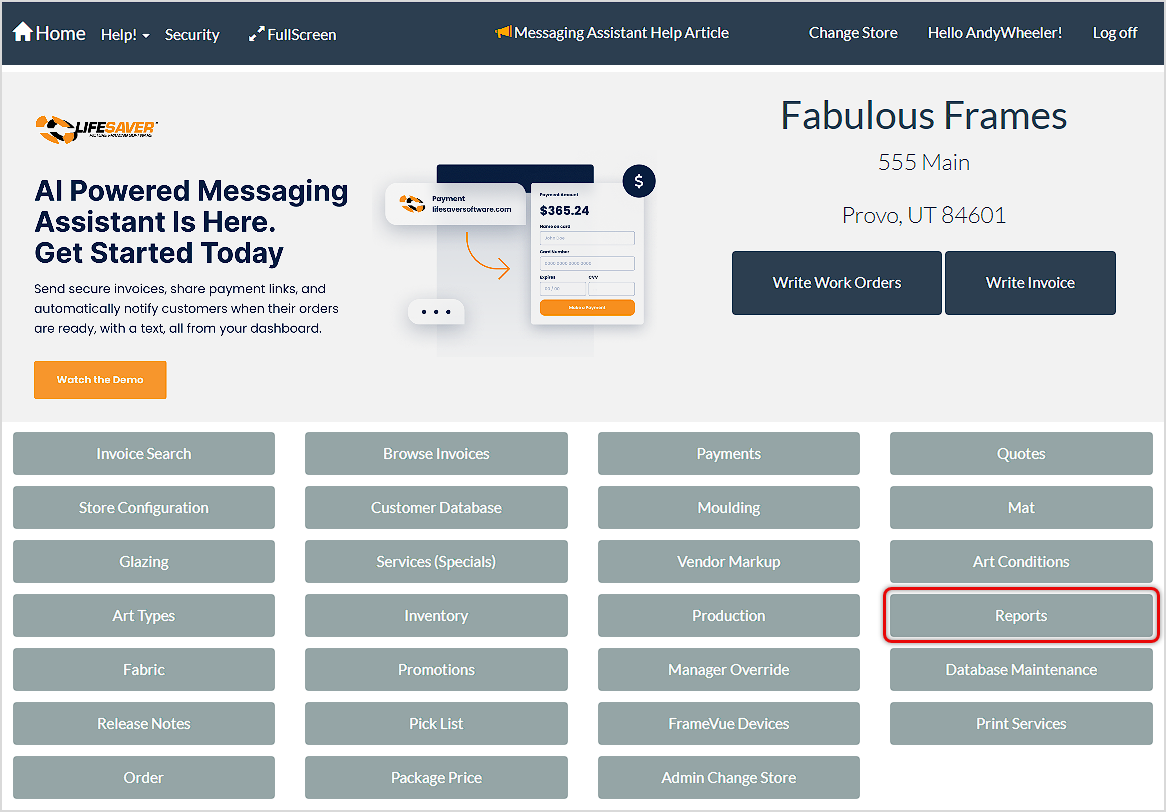
You can get to this part of the system by going to the LifeSaver Home page and clicking on the Reports button. The Store Reporting page will load and you can access the reports by clicking on the Work Orders drop-list.
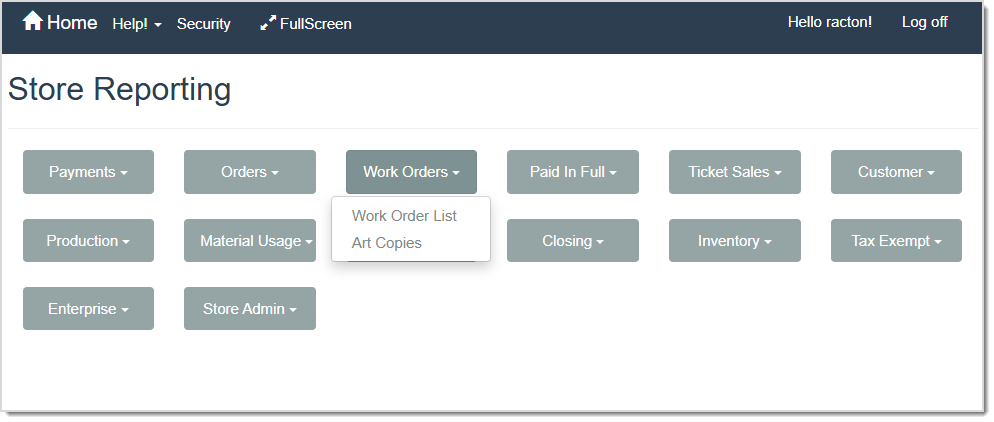
Work Order List Report

This Report will list all work orders for the date range selected. The work order status must be updated from the Production menu. If not, the status will always list as In Progress on this report.
The Work Order List Report includes the following details:
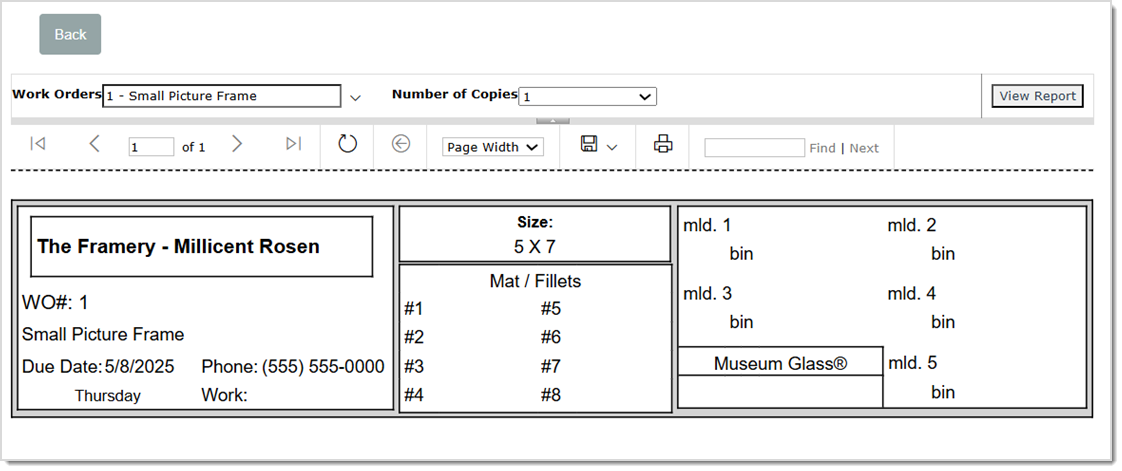
This Report generates tags that you can attach to a customer’s artwork or work order components to identify it. You can use the Work Orders drop-list to select which work orders you want to generate tags for and then use the Number of Copies drop-list if you want to print more than one copy of each tag. Once you’ve printed the tags, you can cut them apart and attach them to the item(s).
Each Art Copy (or tag) displays the following details:
Q: How do I see details on invoiced materials used in these orders?
A: You might consider the Material Usage reports for in-depth breakdowns of mats, mouldings, and glazing.
Q: I have a question, but I can't find my answer here, how do I get more assistance?
A: You can ask any question at the link below, once received one of our technicians will be in touch! If you need immediate assistance, the LifeSaver Software team is available Monday through Friday, from 9:00am to 6:00pm Eastern time. Feel free to contact our support team at: 1-800-381-0600, extension 2. Or you can email us at support@lifesaversoft.com and we will respond within 24-hours.
Is this page helpful?
×Help us improve our articles