
Working With Services (Specials)
Creating a Service Special in LifeSaver Software lets you customize labor, mounting, or other Servic

 October 10, 2025
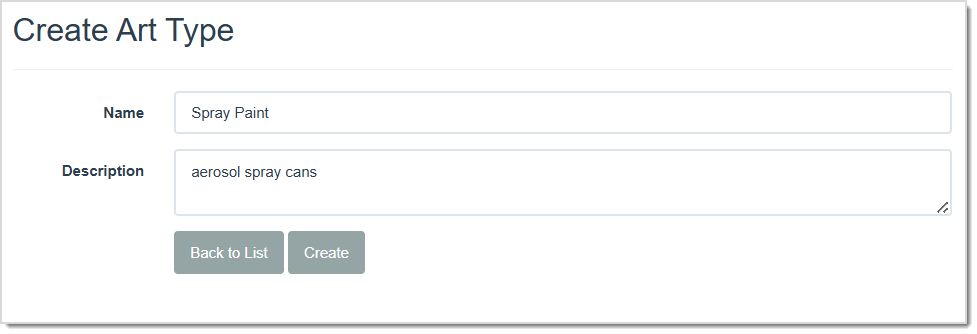
Art types are used on the Write Orders page to document the type of artwork you’re working with, such as charcoal or paint. The LifeSaver Software software system is delivered with an extensive list of default art types. If you find that there are art types that you use that are not already part of the default set available to you, you can add them. In this article you will learn how to add new art types, as well as how to deactivate and reactivate them as you see fit.
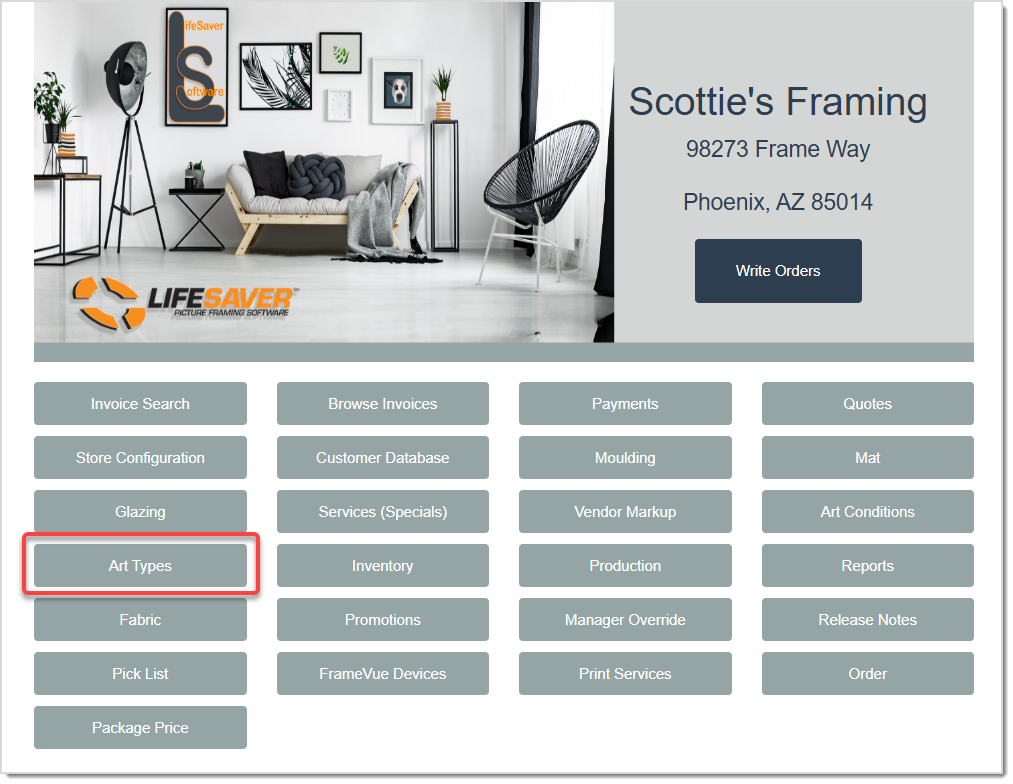
To access the Art Types page, click the Art Types button on the LifeSaver Software Home page.
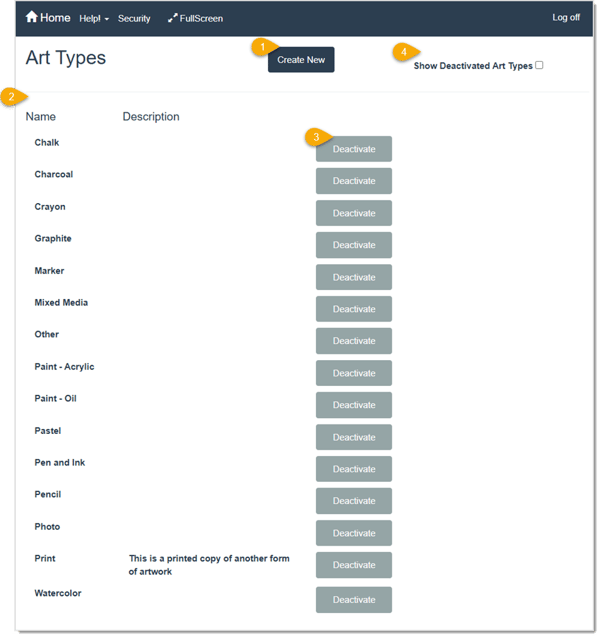
Q: Can I assign more than one Art Type to a work order?
A: Yes, on the Write Order page, you can select multiple Art Types if needed. Click a previously selected Art Type to remove it.
Q: Why aren’t my newly created Art Types appearing on the Work Order page?
A: Make sure they haven’t been deactivated. If they do not show up, check the Show Deactivated Art Types box, then click the Activate button to restore them.
Q: I have a question, but I can't find my answer here, how do I get more assistance?
A: You can ask any question at the link below, once received one of our technicians will be in touch! If you need immediate assistance, the LifeSaver Software team is available Monday through Friday, from 9:00am to 6:00pm Eastern time. Feel free to contact our support team at: 1-800-381-0600, extension 2. Or you can email us at support@lifesaversoft.com and we will respond within 24-hours.
Is this page helpful?
×Help us improve our articles