
Store Configuration - Settings
The primary system configuration area for LifeSaver Software is the Settings tab on your Store Confi

 October 13, 2025
Use the Production tab of settings to assign each store in LifeSaver Software Software to the correct production location. You can designate a primary production facility for each store—whether it’s a dedicated in-store workshop or a centralized production center. By setting a main production facility, you ensure that LifeSaver Software routes work orders to the appropriate location for processing. This helps maintain accurate scheduling, reporting, and workflow management across all your store locations.
Pro Tip: This feature is for stores with multiple locations / facilities. If you have only one, you can ignore this tab.
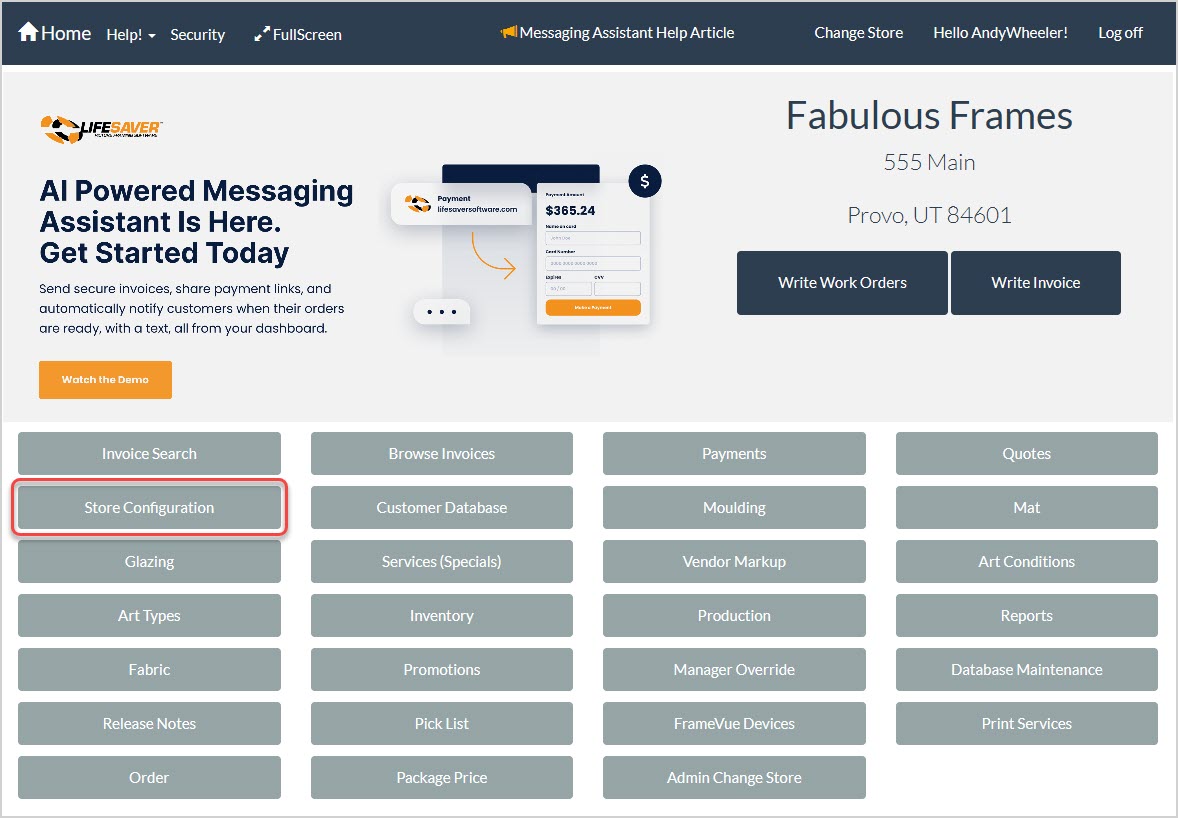
To access this area of the LifeSaver Software software, click the Store Configuration button on your Home page and then click the Production tab.
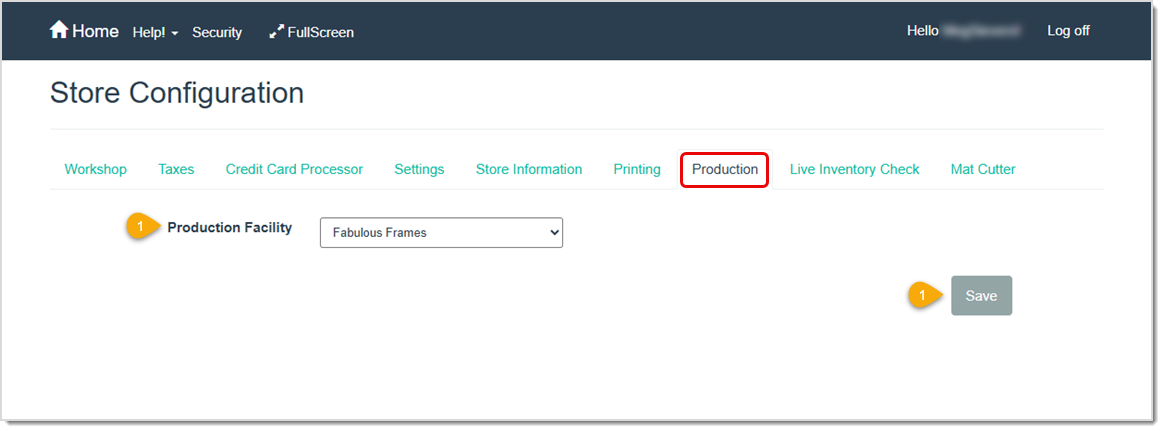
Log into different locations to set Production facilities for each.
Q: What if I do not see the Production tab?
A: You should check your security permissions. Make sure you have the necessary role to access Store Configuration and modify store settings.
Q: Can I set multiple facilities for a single store?
A: No. You can only designate one main production facility per store in the system. If you assign a different facility later, it simply replaces the previous one.
Q: Will this production facility selection affect my production statuses?
A: Selecting a production facility helps direct where work orders are produced, but your custom production statuses and flow remain the same.
Q: Do I have to choose a production facility if I only operate a single store?
A: If you have one store and produce work orders in-house, it is still beneficial to confirm the production facility for clarity in reports and any future expansions.
Q: I have a question, but I can't find my answer here, how do I get more assistance?
A: You can ask any question at the link below, once received one of our technicians will be in touch! If you need immediate assistance, the LifeSaver Software team is available Monday through Friday, from 9:00am to 6:00pm Eastern time. Feel free to contact our support team at: 1-800-381-0600, extension 2. Or you can email us at support@lifesaversoft.com and we will respond within 24-hours.
Is this page helpful?
×Help us improve our articles