
Store Configuration - Settings
The primary system configuration area for LifeSaver Software is the Settings tab on your Store Confi

 October 13, 2025
Setting up your production workshop schedule in LifeSaver Software Software helps you maintain accurate due dates and a smooth production workflow. By configuring your shop’s available days, start and end times, and daily capacity, you can manage work orders more effectively and meet customer deadlines with confidence. This article walks you through the steps to set up your schedule and keep your production process on track.
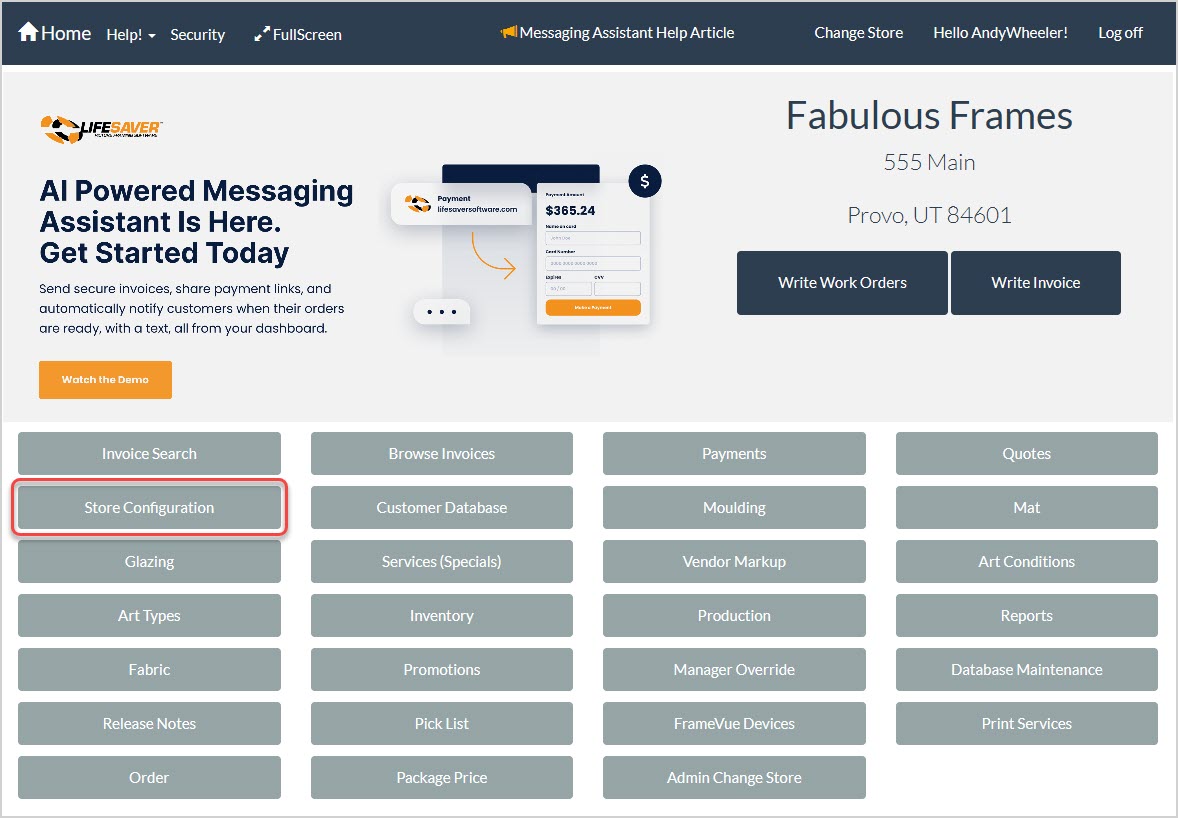
To access the workshop setup area of the LifeSaver Software software, click the Store Configuration button on your Home page and then click the Workshop tab of the Store Configuration page.

You should only select the days and times that you have staff available to complete work orders, ensuring that your production capacity remains accurate. These times do not need to match your store hours (or when you’re open for business). By assigning daily open and close times, along with how many units (work orders) you can produce each day, you ensure that your due dates automatically calculate accurately based on the schedule.
Once you set your schedule, LifeSaver Software uses the value from the Default Work Order Lead Time field on the Settings tab of your store configuration to calculate due dates automatically. You can revisit these settings at any time if your production hours or capacity change.
Using the Production Status Feature
Q: What if my shop is closed on certain days?
A: Be sure to enter 0 Units on days you will not be working on production to ensure no work orders are scheduled on those days.
Q: Can I change the capacity later if my team grows?
A: Yes. You can revisit the Workshop tab at any time to adjust your daily unit capacity.
Q: Are my default lead times different from my workshop schedule?
A: The default lead time is set separately in the Settings tab. Your workshop schedule sets your daily production capacity, but the lead time helps calculate how many days out the software assigns as a completion date.
Q: Does the schedule adjust automatically when we update daily availability?
A: Yes. Any new work orders will reflect the updated availability. Existing work orders stay with their current due date unless you manually update them.
Q: Is there a limit to how many units I can complete per day?
A: LifeSaver Software doesn’t cap the number you can enter, but you should set a realistic limit to help keep track of daily capacity for work orders.
Q: I have a question, but I can't find my answer here, how do I get more assistance?
A: You can ask any question at the link below, once received one of our technicians will be in touch! If you need immediate assistance, the LifeSaver Software team is available Monday through Friday, from 9:00am to 6:00pm Eastern time. Feel free to contact our support team at: 1-800-381-0600, extension 2. Or you can email us at support@lifesaversoft.com and we will respond within 24-hours.
Is this page helpful?
×Help us improve our articles