The Tax Exempt Reports give you key details about any tax-exempt work you have done in whatever period you select. This article will help you understand how to generate, filter, and review the tax-exempt order data. Take a look to see the tools we have for you in this area.
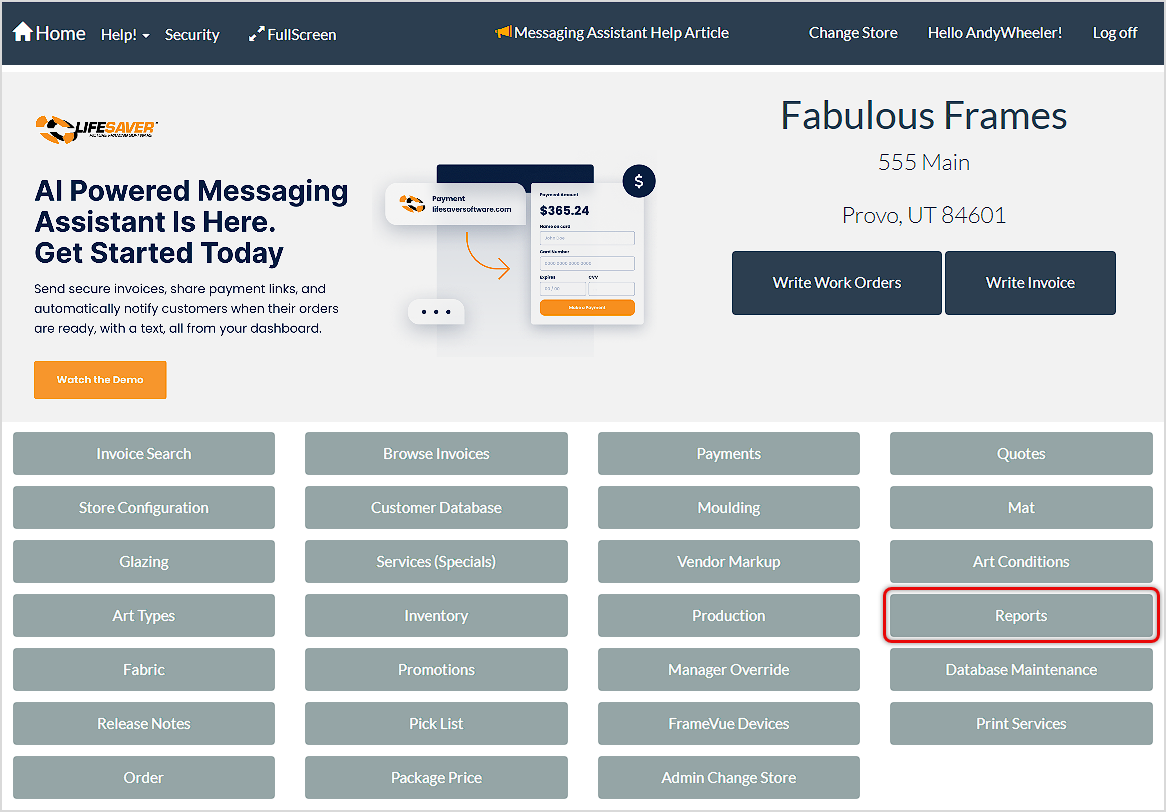
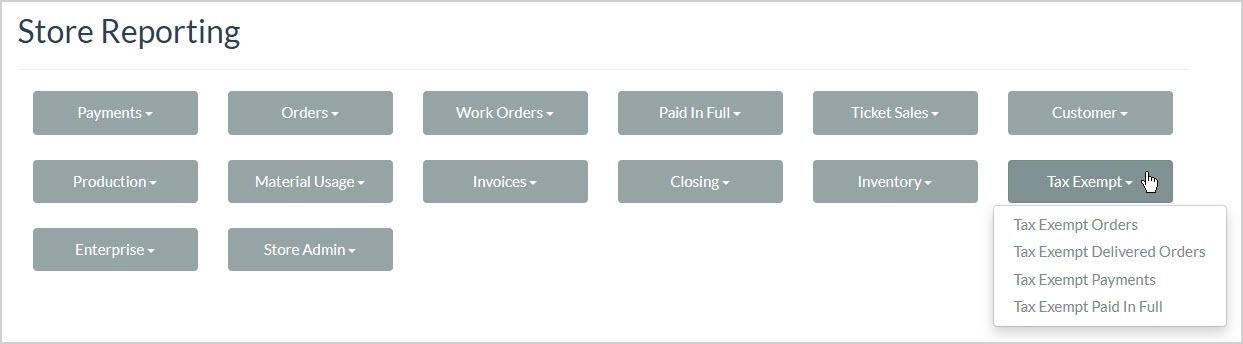
From the Home page, click the Reports button. On the Store Reporting page, click Tax Exempt to see a list of available reports.
Tax Exempt Reports Major Functions
Your Tax Exempt reports all have the following functions:

- Back Button – This button will take you back to the Store Reporting page.
- Date Range – Enter the Start Date and End Date you need, then click the View Report button to load the data for that period.
- Navigation – If the report has multiple pages of data, you can use the arrows to go all the way to the beginning or end page (outer arrows), to the previous or next page (inner arrows), or you can enter the page you want to go to in the page number field.
- Refresh – If your report data might have changed since you loaded the page, or if you just want to reload to the initial view, click the Refresh button.
- Return to Parent Report – If the report you’re viewing is loaded from a parent report, the Return to Parent Report will take you back to that page. If there is no parent report, this button will not be active.
- Zoom – Using this control, you can set the Zoom level for the report’s viewing window. This feature does not enlarge the actual viewing window and will only control the zoom level within the frame below the control header.
- Save / Export – Click this button to download an Excel file, PDF document, or CSV spreadsheet of the report data. This function will export all pages of data.
- Print – Click the Print button to send a print of all report data to a browser print window. You will also see a window that will allow you to download a PDF file of the output. All pages of the report will print by default.
- Search – You can search by keyword or numeric data for anything in the report. Click Find to jump to the first search match. Click Next to jump to the next one until you find what you need.
The Tax Exempt Reports
There are four versions of the Tax Exempt report, each focuses on orders in different statuses and one focuses on tax-exempt payments. Here are the different reports:
The Tax Exempt Orders report gives you the details about tax exempt orders that are in process.

The Tax Exempt Delivered Orders report gives you the details about tax exempt orders that have been delivered.

The Tax Exempt Payments report gives you the details about payments that have been made that are tax exempt.

The Tax Exempt Paid in Full report gives you the details about tax exempt orders that have been paid in full.

The Tax Exempt Reports give you the details about orders that are in process for each of the different areas, but the data areas are the same:
- In the upper right the report shows the Date and Time you ran it.
- The upper area of the report displays the Date Range you selected and the Store Name.
- The Date, Invoice Number, Revision Number, and Work Order Number of each order.
- The Customer Name, Description, and Tax Number (required for tax exemption).
- The Labor, Material, and Order Total dollar amounts of each order.
- Below the list of orders, the report will display Totals for the Labor, Material and Order Total columns.
Related Topics
Payment Reports
Production Reports
Frequently Asked Questions
Q: I have a question, but I can't find my answer here, how do I get more assistance?
A: You can ask any question at the link below, once received one of our technicians will be in touch! If you need immediate assistance, the LifeSaver Software team is available Monday through Friday, from 9:00am to 6:00pm Eastern time. Feel free to contact our support team at: 1-800-381-0600, extension 2. Or you can email us at support@lifesaversoft.com and we will respond within 24-hours.


 October 13, 2025
Is this page helpful?
×Help us improve our articles