
Working With Customer Types
In this article you will find information on adding new customer types, deactivating customer types

 August 26, 2025
Statements – Creating a statement of account is a powerful feature for frame shops who need to manage customer billing. This article will help you generate an itemized statement showing all invoices for a selected customer, including an optional date filter and the ability to print or send the statement. Read on to see how this feature can streamline your receivables and keep your customers informed.
Packing Lists – Packing Lists are helpful tools that let you see what items, like frames and mats, should be shipped or prepared for your orders. This article will walk you through how to create and print a packing list in the LifeSaver Software software. Give it a try and see how easily you can organize shipments for your customers.
The steps you will follow are the same in either situation except where you make a selection of which type of printout you want.
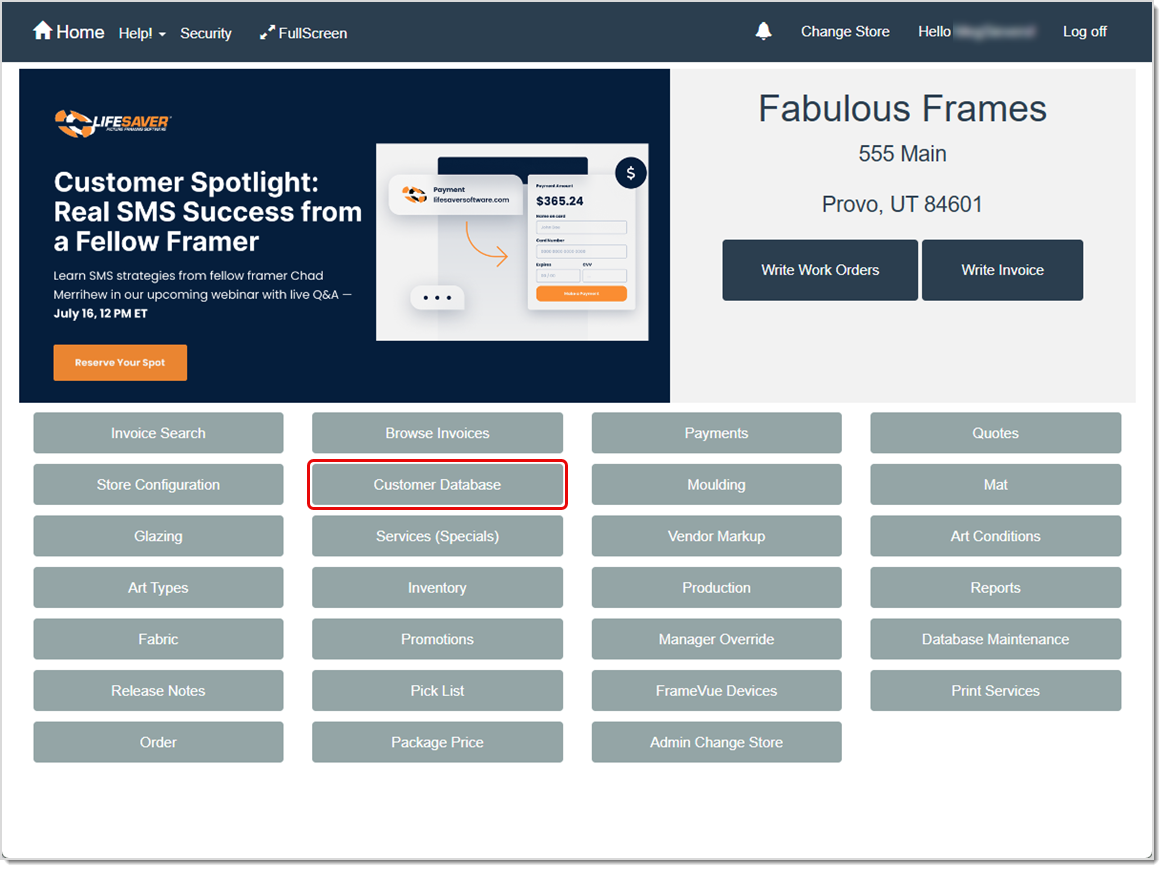
To access this part of the system, click the Customer Database button on the main menu.
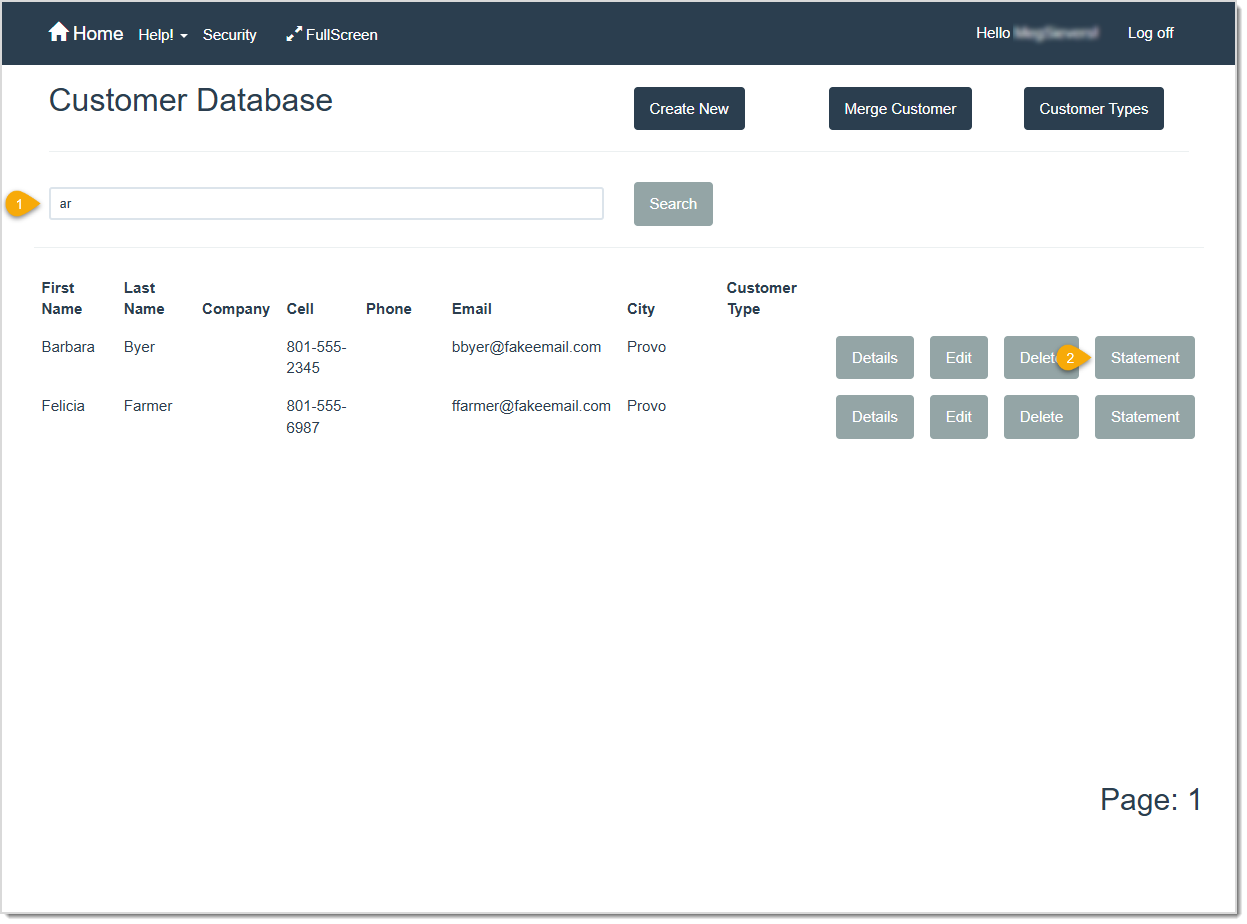
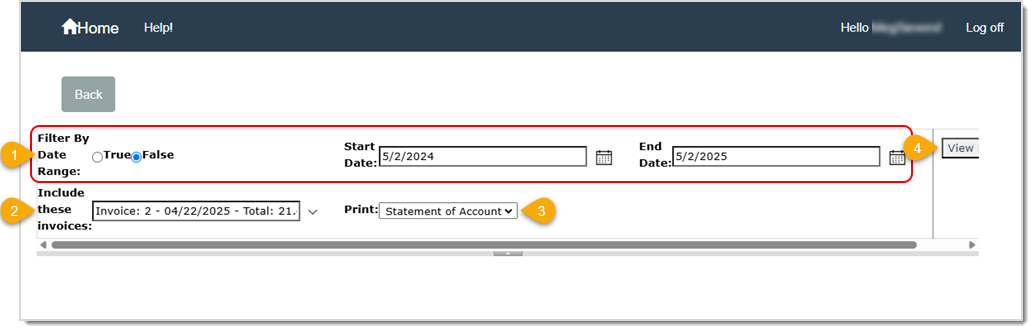
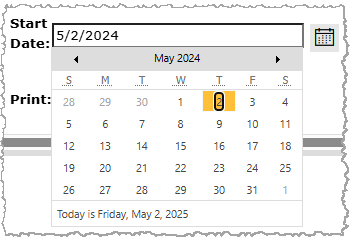
On the Statement page you will add filtering options to determine which invoice you want to use to create a packing slip or include on an account statement for the customer.
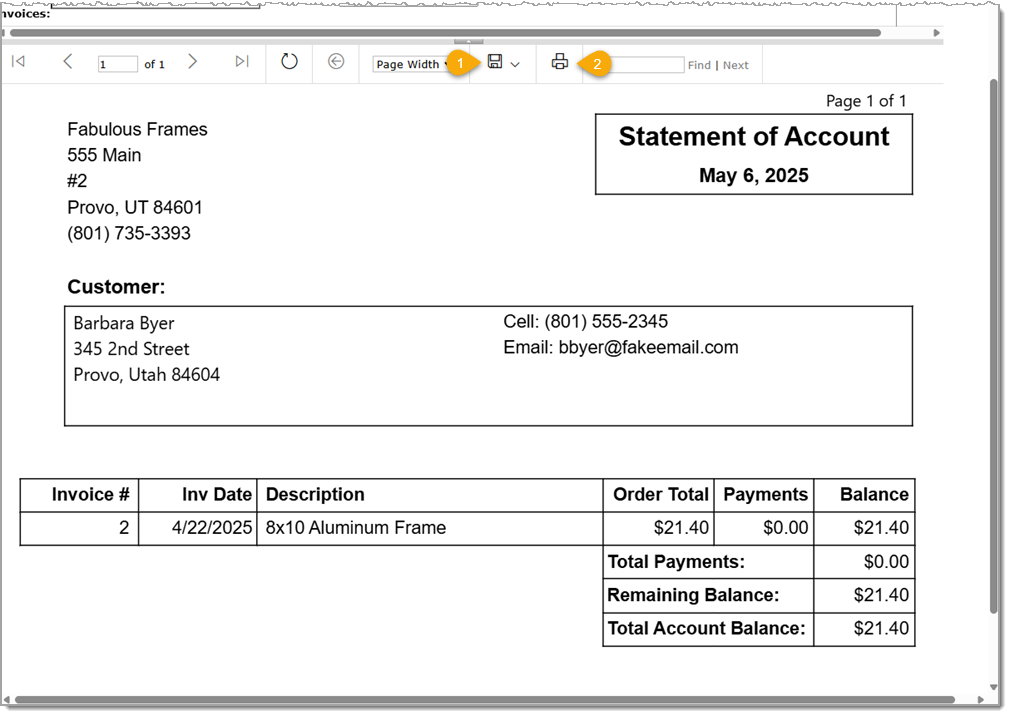
You will see an itemized list of all chosen invoices, along with a return address and customer address. The format is designed so you can use a double-window envelope to mail your statements.
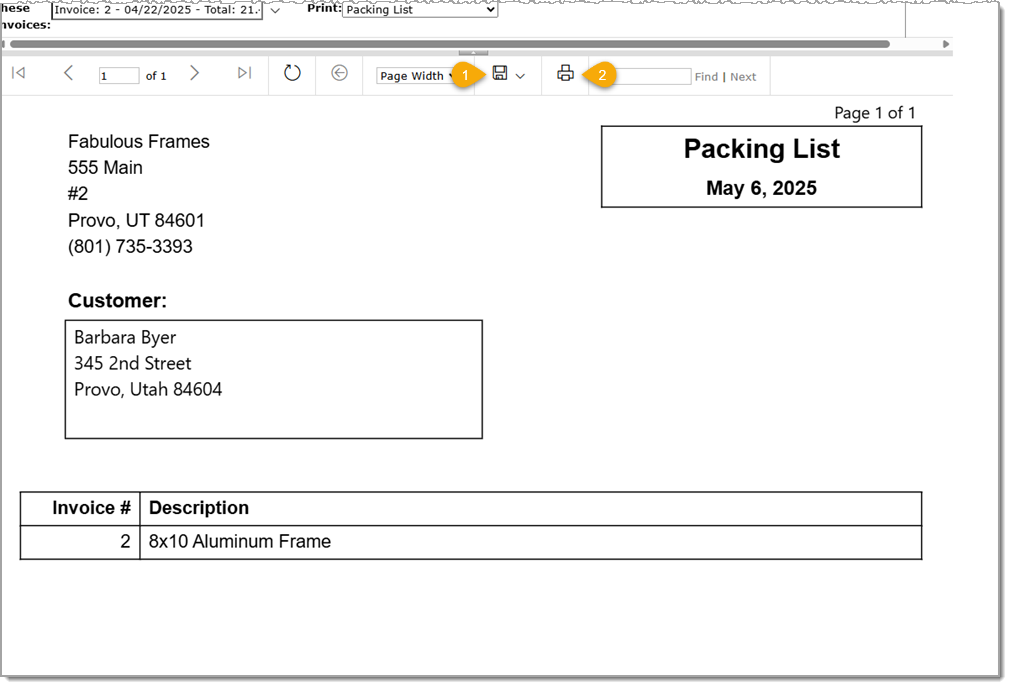
When you select the Packing List option from the Print filter on the Statement page and click the View button, you will see each invoice you selected, the return address, the customer’s address, and details like invoice number and work order description. Your packing list will be ready to print or share.
Print, Email, or Generate a Digital Invoice
Q: How can I see which invoices are included in the statement before printing?
A: Click View Report after selecting your filtering options to preview an itemized list.
Q: Can I apply payments directly from the statement?
A: You must record payments in an invoice or payment screen. The Statement of Account only displays outstanding balances, but you can navigate to Invoice Search or Payment to process customer payments.
Q: Can I email the statement?
A: If you export the Statement of Account as a PDF, you can email it to your customer.
Q: Is there a limit to the date range I can select?
A: The system allows you to choose any date range, including no date filter at all. Double check your Start and End dates for accuracy.
Q: Will the statement show partially paid invoices?
A: Yes, the statement shows a balance for each invoice, so you can see which ones have been paid in full and which still have an outstanding balance.
Q: Can I filter which invoices appear on the Packing List?
A: Yes. In the Statement panel, set Filter by Invoice to only include the invoices you need.
Q: Will the Packing List show addresses for shipping?
A: Absolutely. The Packing List includes the organization’s return address and the customer’s address. You can easily use it for accurate shipping.
Q: I have a question, but I can't find my answer here, how do I get more assistance?
A: You can ask any question at the link below, once received one of our technicians will be in touch! If you need immediate assistance, the LifeSaver Software team is available Monday through Friday, from 9:00am to 6:00pm Eastern time. Feel free to contact our support team at: 1-800-381-0600, extension 2. Or you can email us at support@lifesaversoft.com and we will respond within 24-hours.
Is this page helpful?
×Help us improve our articles