
Working With Database Maintenance
Important Note: This function is only available if you are subscribed to LifeSaver Software’s Enterp

 October 09, 2025
Receiving and processing Vendor Updates is a valuable feature that helps you stay current with the latest product changes from your suppliers. You can see which items have been discontinued or introduced, along with their descriptions and costs. This article will show you how to access, filter, and export vendor updates in LifeSaver Software Software so you can keep your inventory accurate. Read on to learn how to make the most of this time-saving feature.
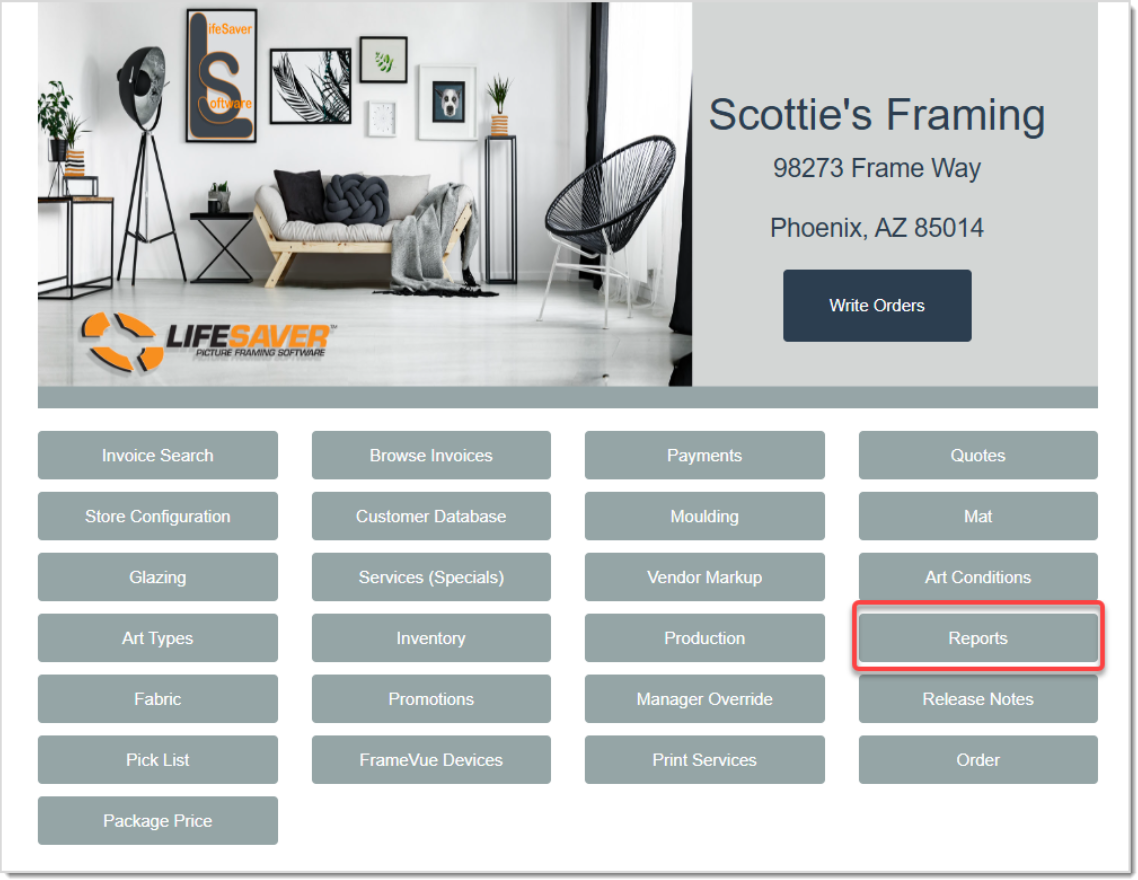
On the LifeSaver Software Home page, click on the Reports button. In the Reports menu, click the Inventory button’s drop-list, then select Vendor Updates to view new and discontinued moulding, mat, and fabric products from your currently downloaded vendors.
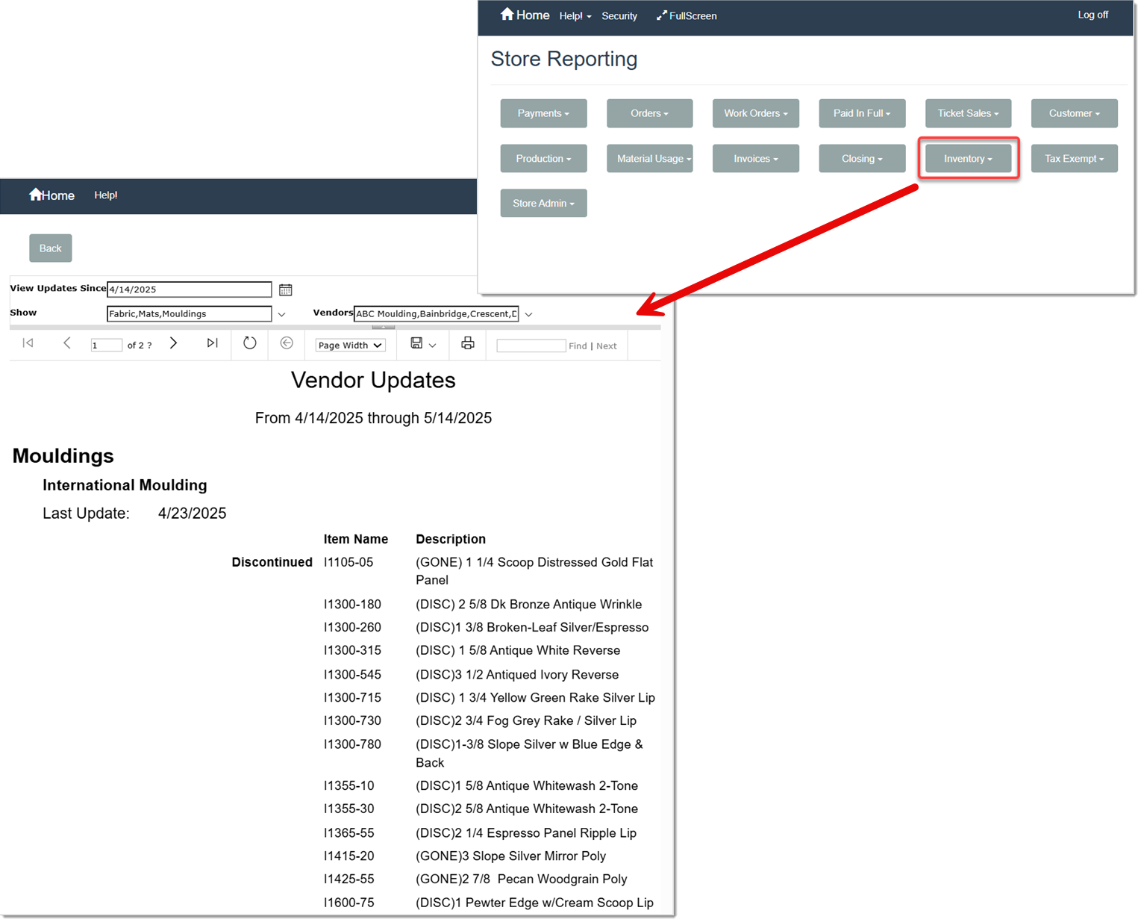
The LifeSaver Software Software automatically processes vendor updates from the vendors you have added to your system. When you open the Vendor Updates report, it will default to the last 30 days and include all new and discontinued Fabric, Mats, and Moulding.
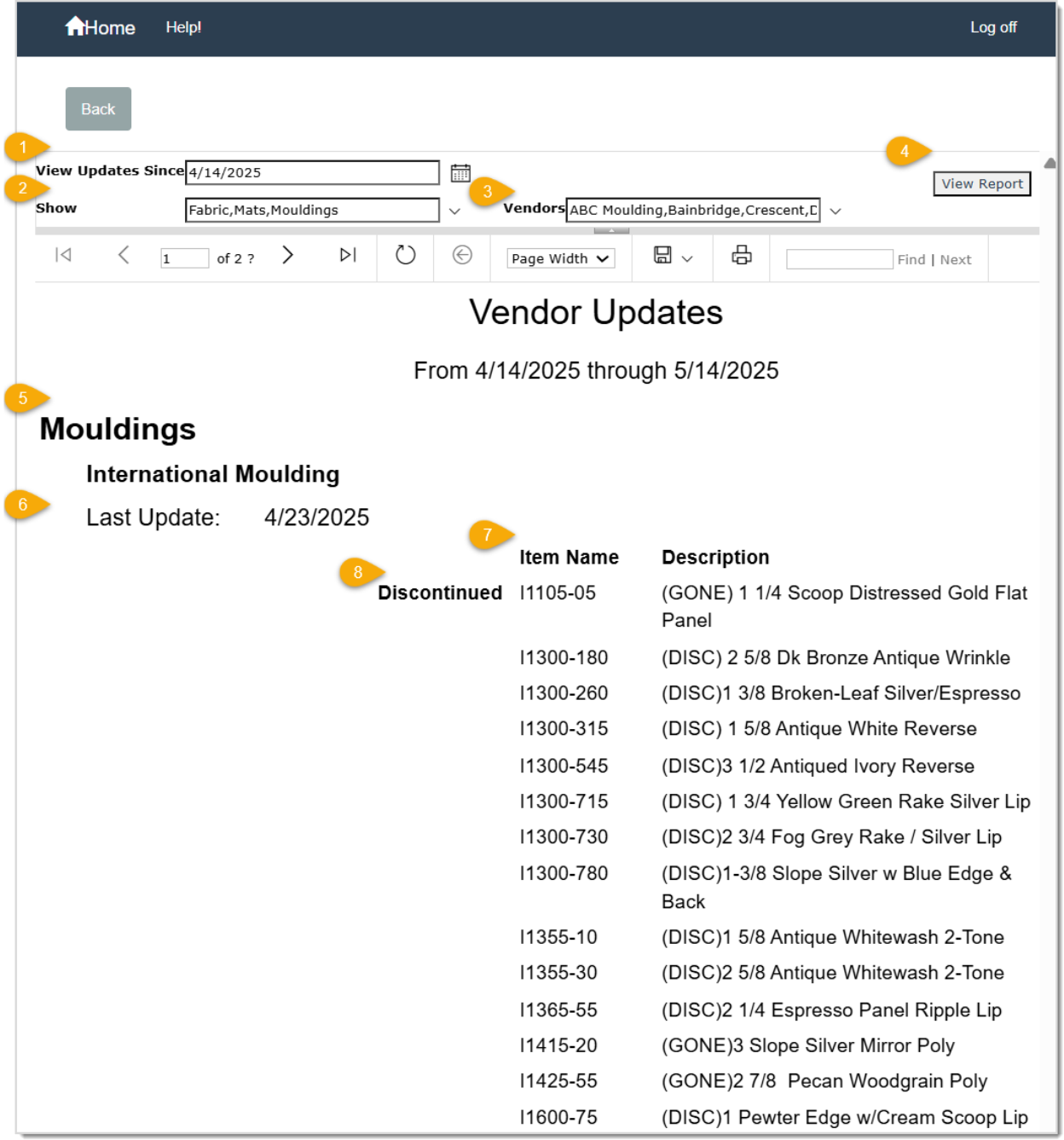
The report displays:
You can use the boundary arrows at the bottom of the report if there are multiple pages. You can also export these results or print them for quick reference.
Q: What if I don’t see any vendor updates listed on my report?
A: You will only see changes from vendors you have currently downloaded. Confirm that the vendor is in your database, and adjust the date range if needed.
Q: How often are vendor updates available?
A: Most vendors provide new data on a periodic basis. You can run the Vendor Updates report any time to view the most recent changes for your store.
Q: I have a question, but I can't find my answer here, how do I get more assistance?
A: You can ask any question at the link below, once received one of our technicians will be in touch! If you need immediate assistance, the LifeSaver Software team is available Monday through Friday, from 9:00am to 6:00pm Eastern time. Feel free to contact our support team at: 1-800-381-0600, extension 2. Or you can email us at support@lifesaversoft.com and we will respond within 24-hours.
Is this page helpful?
×Help us improve our articles