Canada Pricing Matrix

July 20, 2026
For vendors that provide inventory for Canadian frame shops we provide a Pricing Matrix so you can price materials properly. This article shows you how to view and work with the Canada Pricing Matrices. Take a look at what's there for you!
Working With the Price Matrix
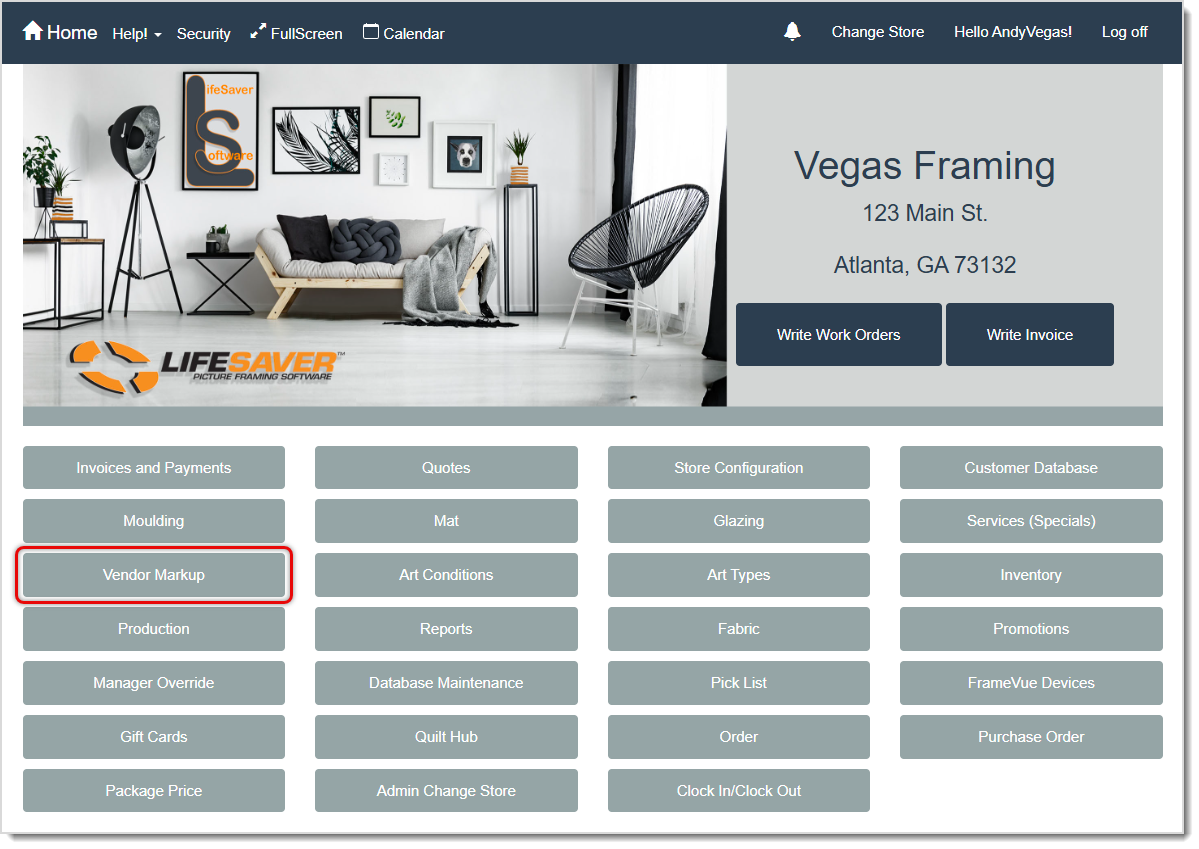
You are able to view all of the pricing matrices from the Vendor Markup page. Start by clicking on Vendor Markup on the system Home page.
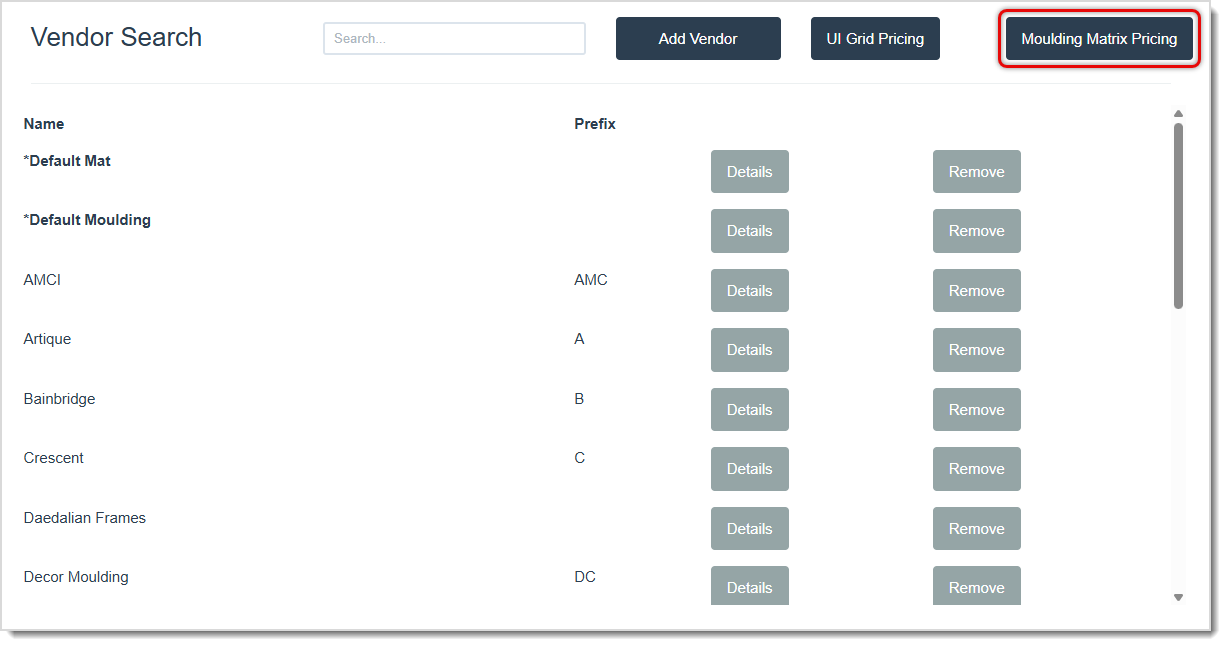
On the Vendor Markup Page, click the Moulding Matrix Pricing button in the upper right.
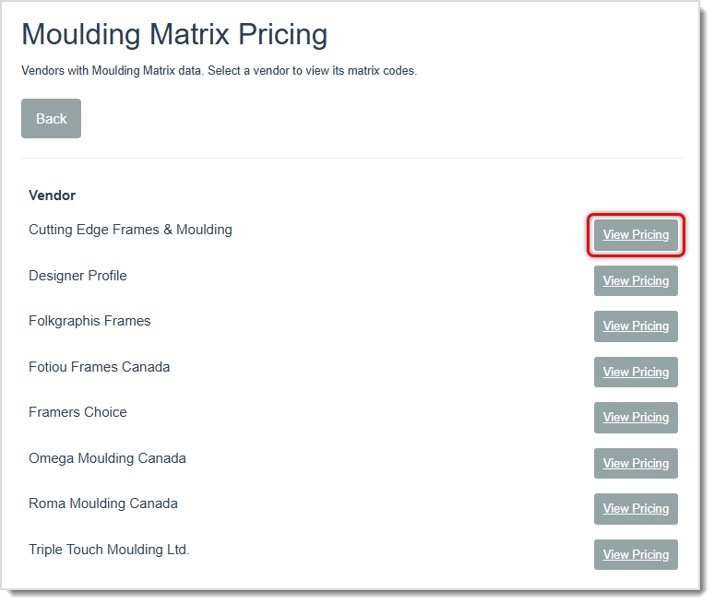
On the Moulding Matrix Pricing page you will see all Canadian Vendors that have established their matrix pricing for moulding. Click the View Pricing button for the Vendor you want.
On a Vendor's Pricing Matrix page, you'll see pricing information. There are some important details about this page of which you need to be aware:
- The Pricing Matrix does NOT list pricing for Length moulding.
- Listed prices in the matrix are for Join prices for the moulding.
- Below the matrix, most vendors will show a percentage reduction from the prices in the matrix for Chop moulding.
- When viewing a specific moulding for a Canadian vendor, you will see details about pricing for Join and Chop in the Matrix Pricing area of the Details page (see the example Detail page below).\
- For Chop, some vendors may give a fixed discount based on the UI range.
- The Pricing Matrix does NOT affect your Vendor Markup in any way; those markup calculations will continue to work as you have entered them. This just gives them pricing specific to Canadian vendors on which to base that markup calculation.
Here is how to use a Canadian Vendor's Pricing Matrix page:
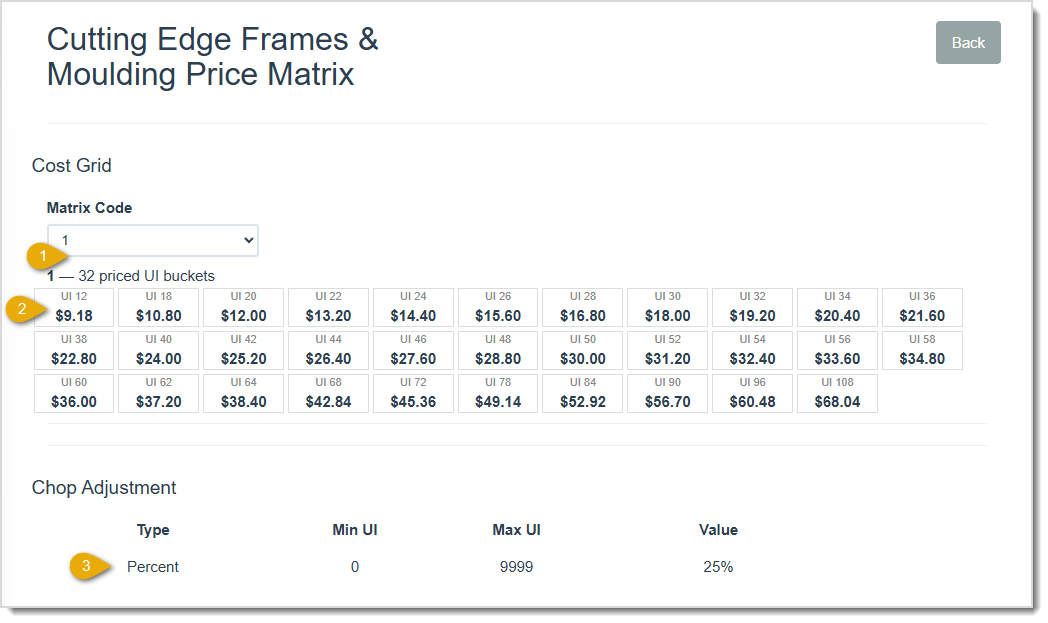
- The Matrix Code is for a specific moulding by the Vendor. You can look these up on the Mouldings page by clicking to view the Details (see the Moulding Details Page Pricing Matrix below). From the Vendor page pictured above, you can view all of the Matrix Codes for the Vendor.
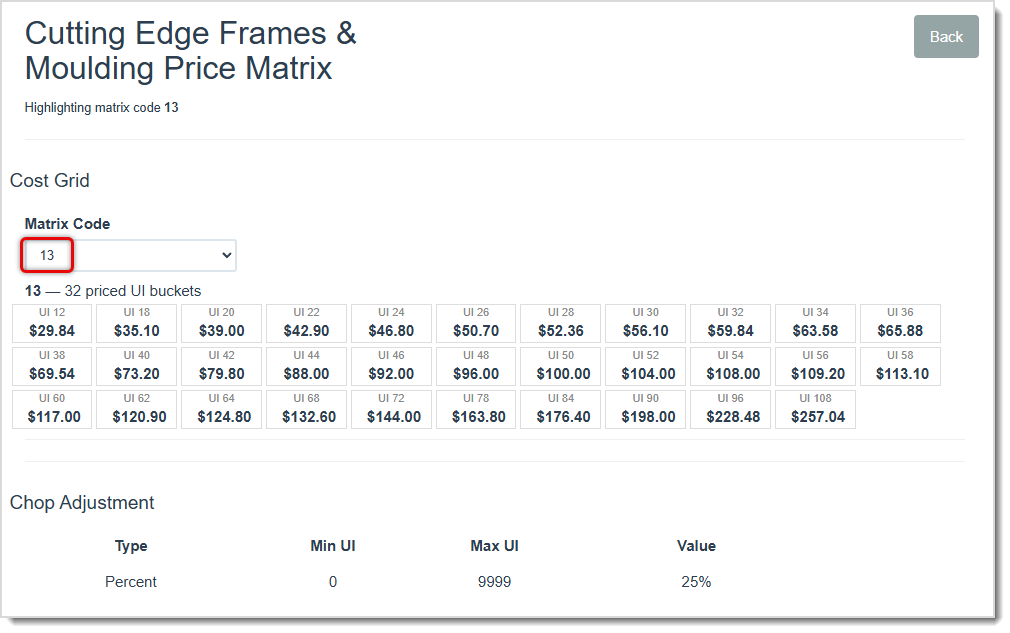
- In the Pricing Matrix, you can look up whatever UI you need and find the Join pricing listed in Canadian Dollars.
- Below the Matrix, you can see the Chop Adjustment provided by the Vendor. For most vendors this will be a Percentage you subtract from the Join price for a UI value listed above. Some vendors will provide a fixed price reduction based on the UI.
Moulding Details Page Pricing Matrix
If you go to the Mouldings page from the system Home page and click to select the Vendor you want, you can find the specific moulding you need and click the Details button to view its full details, as pictured below.
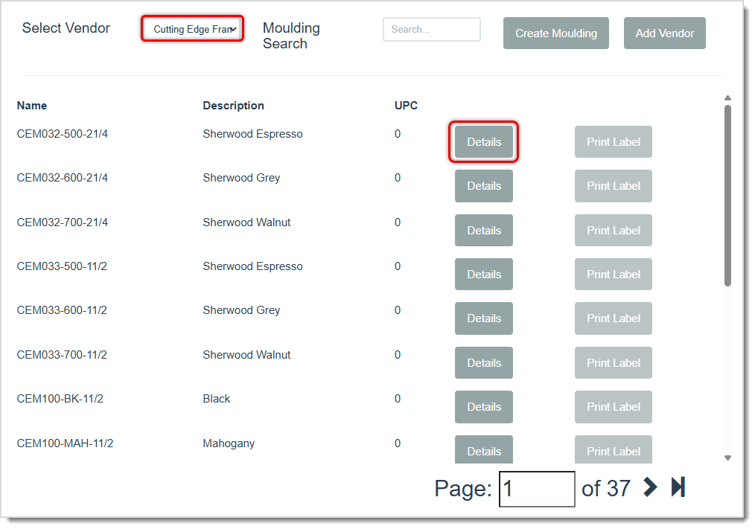
On the Moulding Details page you are able to see Pricing Matrix details on the right, and they are described below for you.
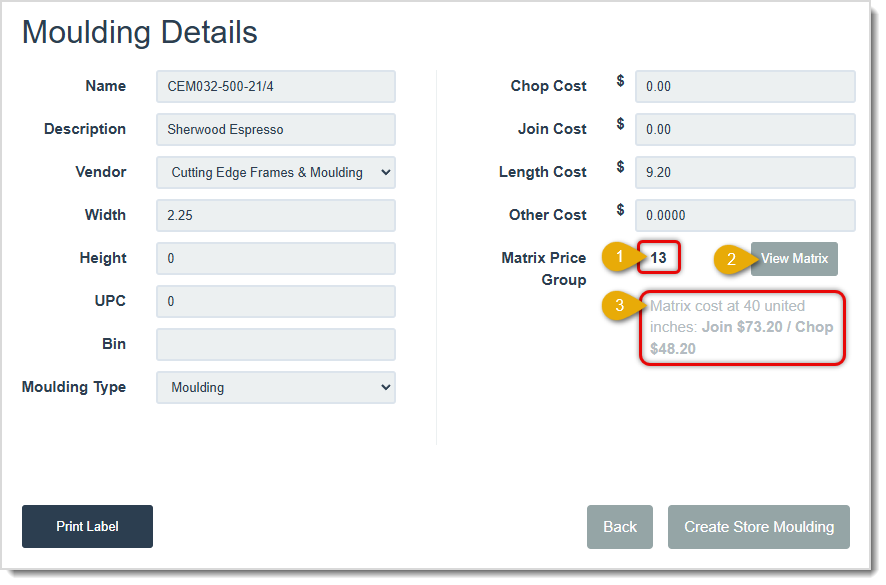
- The vendor has set Matrix Price Code numbers for each of the mouldings in their listings. This moulding's code is indicated here.
- You can click the View Matrix button to view the full Pricing Matrix page for the Vendor, with this item loaded in the Matrix Code drop-list, as pictured below.
- Example Pricing Matrix information is provided for you. In this case, a value of 40 united inches is used with Join and Chop prices for that UI listed.
Frequently Asked Questions
Q: I have a question, but I can't find my answer here, how do I get more assistance?
A: You can ask any question at the link below, once received one of our technicians will be in touch! If you need immediate assistance, the LifeSaver Software team is available Monday through Friday, from 9:00am to 6:00pm Eastern time. Feel free to contact our support team at: 1-800-381-0600, extension 2. Or you can email us at support@lifesaversoft.com and we will respond within 24-hours.
Important Note: This function is only available if you are subscribed to LifeSaver Software’s Enterp
The Moulding page lets you view Moulding details and create your in-stock store inventory of Mouldin
The Mats page is an essential part of the LifeSaver Software software that lets you view Mat details


Is this page helpful?
×Help us improve our articles