
Working With Services (Specials)
Creating a Service Special in LifeSaver Software lets you customize labor, mounting, or other Servic

 October 10, 2025
Art Conditions are used on the Write Orders page to document the artwork’s current blemishes or marks, such as Cracking or Abrasions. Your LifeSaver Software System has default Art Conditions. In this topic you will learn how to add new art conditions, as well as how to deactivate and reactivate the default conditions as you see fit.
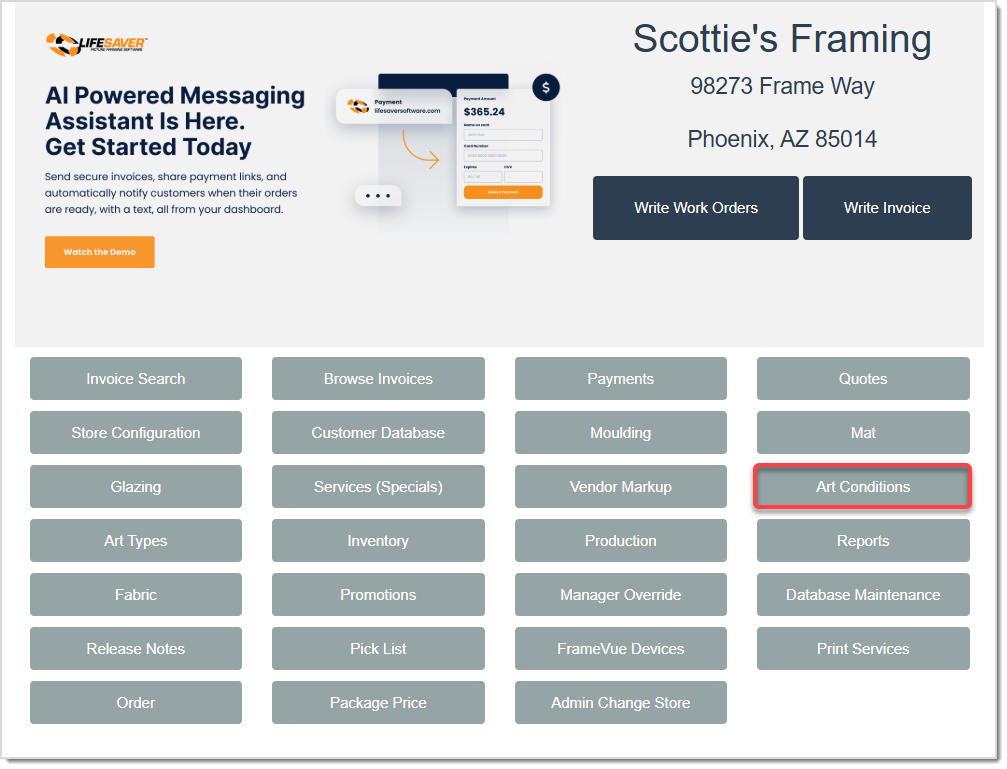
On the Home page, click the Art Conditions button to open the Art Conditions page.


Important Note: Only custom Art Conditions can be edited. The default Art Conditions from the system are not editable.
Q: Can I select multiple Art Conditions for the same piece?
A: Yes. If a piece has more than one condition, you can click each condition on the Write Order page.
Q: Will deactivating an Art Condition remove it from past orders?
A: No, Deactivation only hides the condition for new orders and does not affect past entries. You can reactivate it at any time.
Q: I have a question, but I can't find my answer here, how do I get more assistance?
A: You can ask any question at the link below, once received one of our technicians will be in touch! If you need immediate assistance, the LifeSaver Software team is available Monday through Friday, from 9:00am to 6:00pm Eastern time. Feel free to contact our support team at: 1-800-381-0600, extension 2. Or you can email us at support@lifesaversoft.com and we will respond within 24-hours.
Is this page helpful?
×Help us improve our articles