
Your Processing Payment Portal
Payment Portal The Payment Portal is a dashboard included as part of our payments offering. It allow

 October 13, 2025
The Invoice Report in LifeSaver Software is useful for viewing and reprinting your customer invoices.
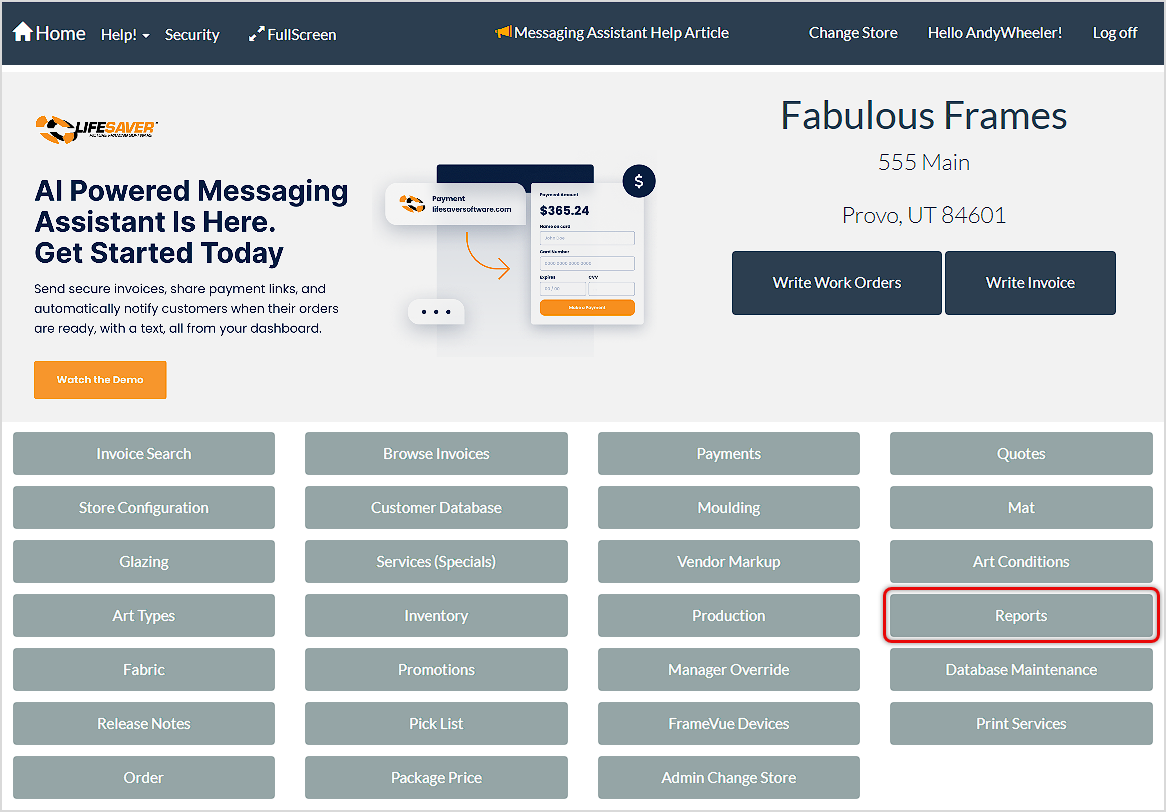
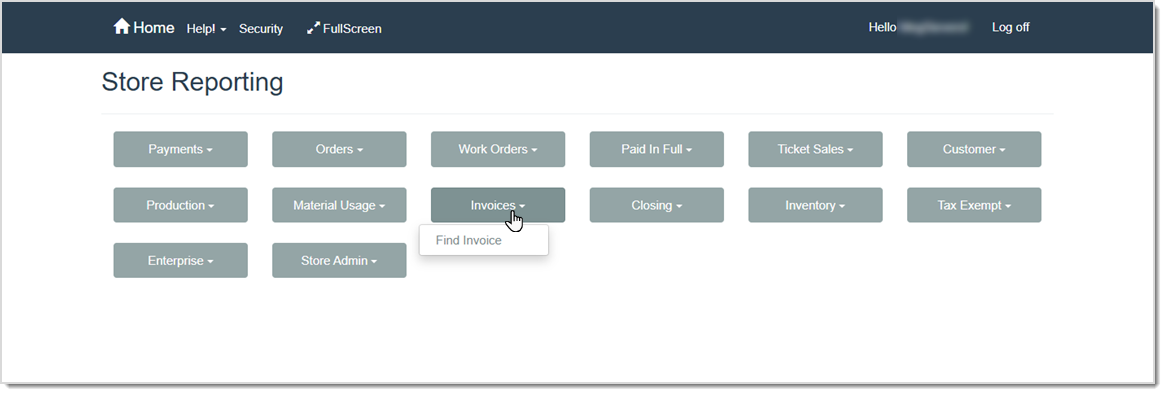
To get to this area, click the Reports button on the LifeSaver Software Home page. The Store Reporting page will load. Click the Invoices button to access the Find Invoice report, as pictured below.
Your Find Invoice report has the following features:
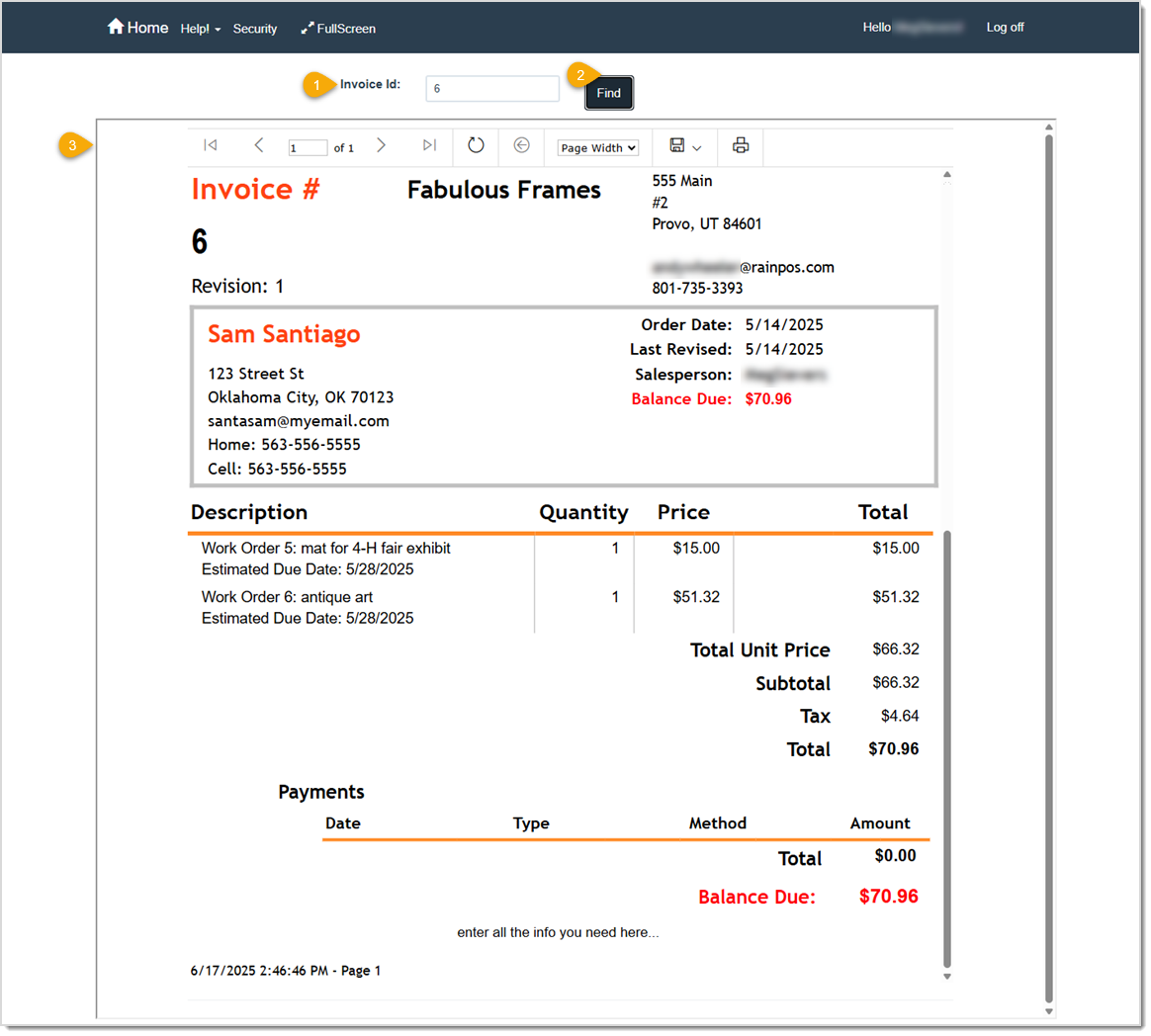
Print, Email, or Generate a Digital Invoice
Q: Can I search for Invoices in the Find Invoice Report by customer name?
A: No, you need to search using the Invoice ID Number.
Q: I have a question, but I can't find my answer here, how do I get more assistance?
A: You can ask any question at the link below, once received one of our technicians will be in touch! If you need immediate assistance, the LifeSaver Software team is available Monday through Friday, from 9:00am to 6:00pm Eastern time. Feel free to contact our support team at: 1-800-381-0600, extension 2. Or you can email us at support@lifesaversoft.com and we will respond within 24-hours.
Is this page helpful?
×Help us improve our articles