
Working With Database Maintenance
Important Note: This function is only available if you are subscribed to LifeSaver Software’s Enterp

 August 26, 2025
Purchase orders are used to track any special orders for your customers or stock orders for your own inventory. While you cannot currently create a purchase order in LifeSaver Software, you can associate any purchase order (PO) numbers provided to you by your suppliers or customers with in-house invoices. Associating a PO with an invoice can result in more precise tracking and documentation of your orders.
Once added to an invoice, the PO number can be found on the Invoice copy of a printed receipt, as shown in the image below.
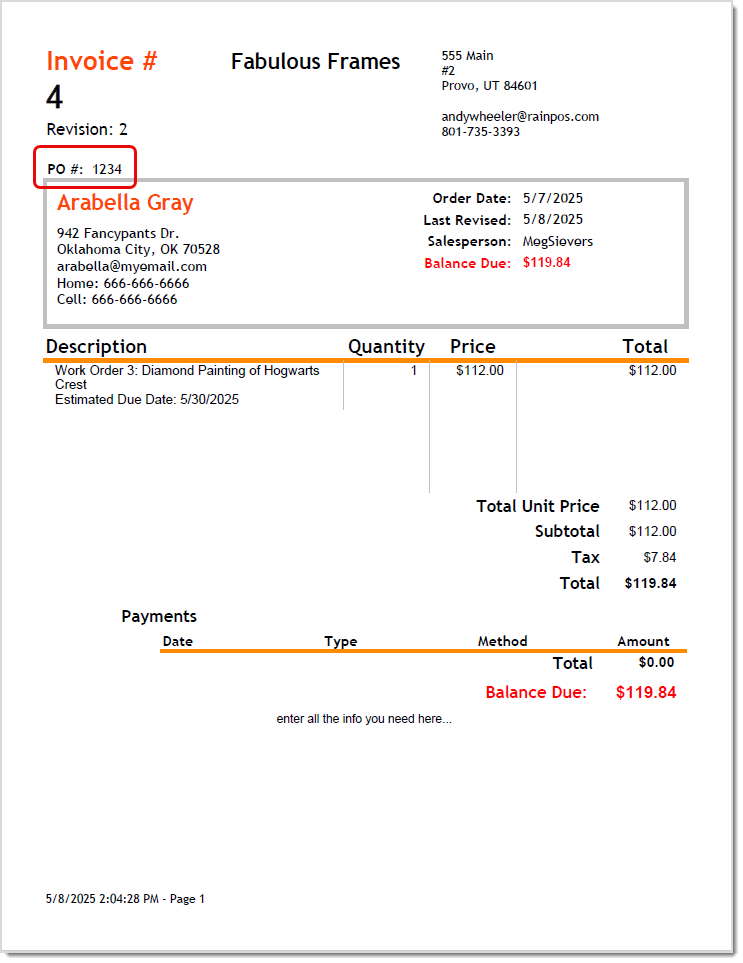
Purchase order (PO) numbers can be added to any new or active existing invoice on the Invoice window using the Paperclip icon.
To get started, go to your Home menu and click the Write Orders button. Add any details necessary for the work order. Then, complete steps outlined below.
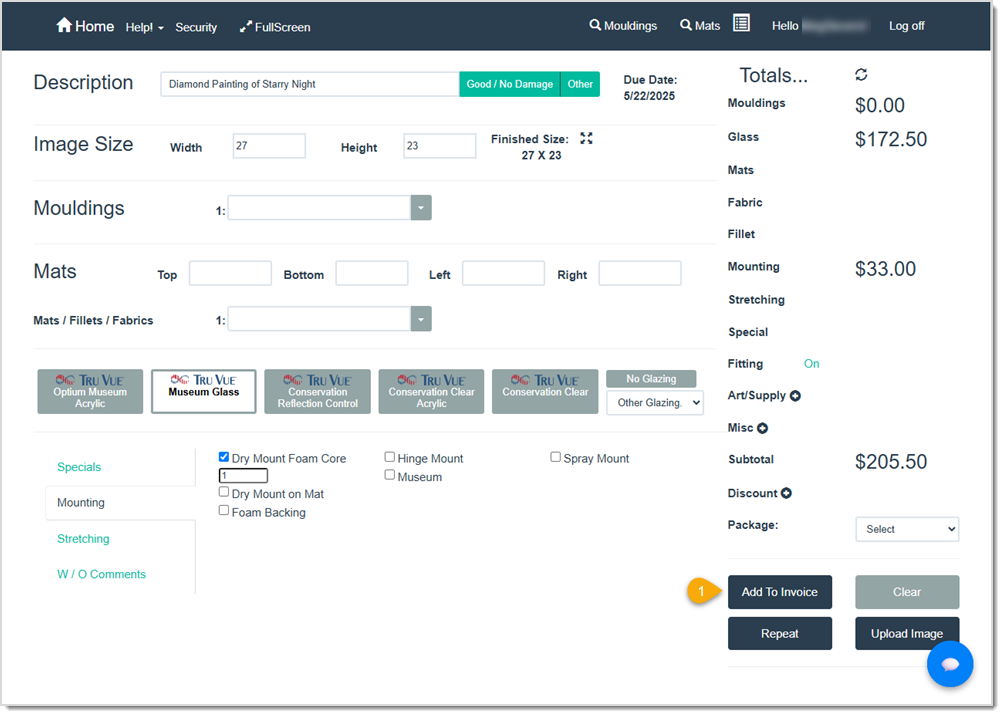

Please Note: A PO number can only be added, edited, or removed if the invoice is still active.
To get started, you’ll need to access the right invoice.
If you know it is a recently created invoice, start here:
Go to your Home screen and click the Browse Invoices button to open the Browse Invoice window. Then, click the Open button for the invoice you want to update. 
If you need more search options to find your invoice, start here:
Go to your Home screen and click the Invoice Search button to open the Invoice Search window. Enter search criteria in the fields and click the Search button to identify your invoice. Then click the Edit button for the invoice you want to update.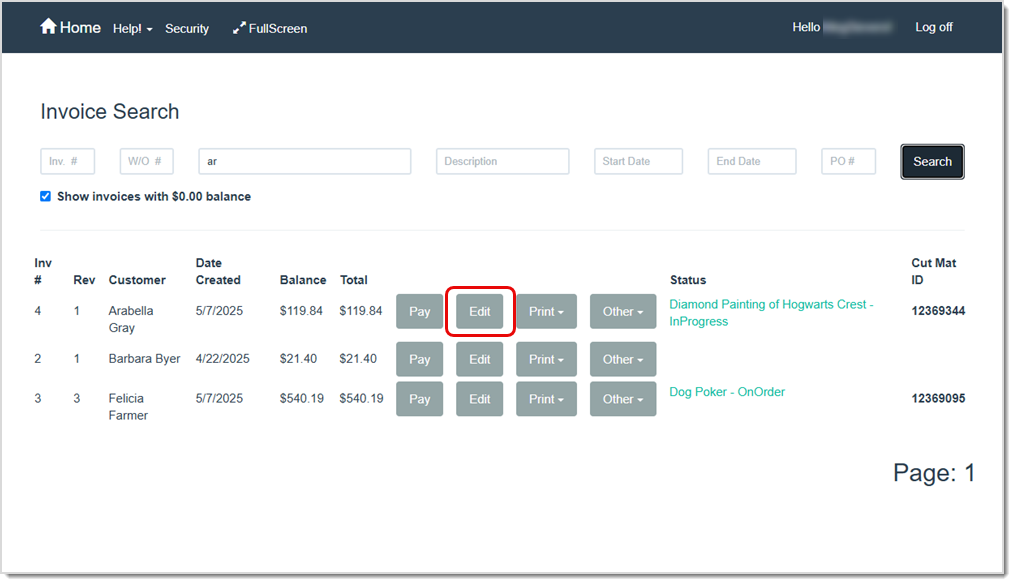
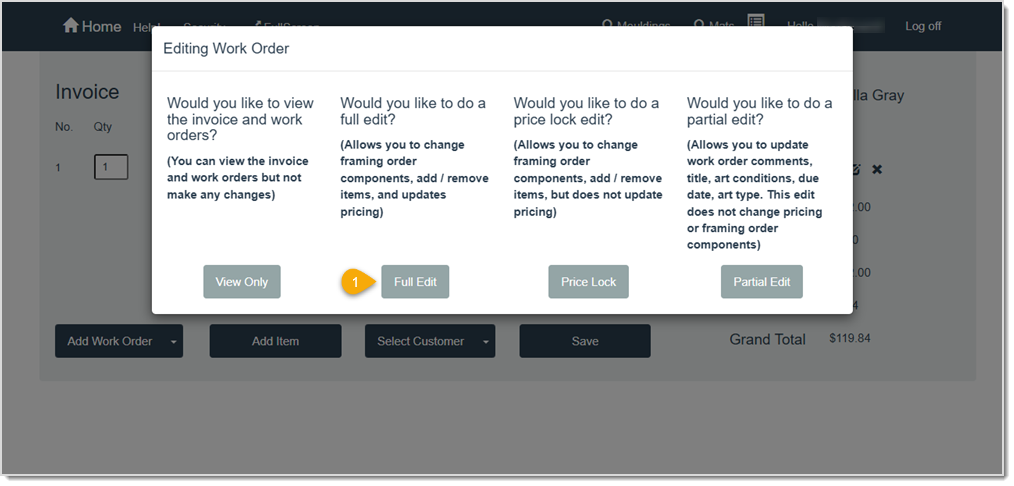
In both cases, the Invoice window will appear behind the Editing Work Order pop-up window where you must make a choice of action.
Q: Is there a limit to the number of PO Numbers I can associate with an Invoice?
A: You can only enter one PO Number per Invoice at this time, but you can always add more details in the Notes section of the Invoice.
Q: Can I search for an invoice by Purchase Order Number?
A: Yes. In the Invoice Search window, type the purchase order number in the PO Number field and click the Search button to quickly find that invoice.
Q: Will the Purchase Order Number appear on printed receipts?
A: Absolutely. Once added, the Purchase Order number prints on the invoice copy of the receipt.
Q: Can I remove or edit a previously entered Purchase Order Number?
A: Yes. Access the Invoice Window, click the Paper Clip icon, and edit or remove the number in the pop-up. Be sure to save your work.
Q: I have a question, but I can't find my answer here, how do I get more assistance?
A: You can ask any question at the link below, once received one of our technicians will be in touch! If you need immediate assistance, the LifeSaver Software team is available Monday through Friday, from 9:00am to 6:00pm Eastern time. Feel free to contact our support team at: 1-800-381-0600, extension 2. Or you can email us at support@lifesaversoft.com and we will respond within 24-hours.
Is this page helpful?
×Help us improve our articles