
Store Configuration - Settings
The primary system configuration area for LifeSaver Software is the Settings tab on your Store Confi

 October 13, 2025
LifeSaver Software Cloud supports multiple integrated credit card processors. If you are new to LifeSaver Software, you can have integrated processing with LifeSaver Software Payments. If you have been with LifeSaver Software for a while, you might be integrated with Dejavoo, Cayan, or Vantiv. We still support those integrations, but are no longer setting up new ones with those processors. We have built LifeSaver Software Payments to be an ideal processing solution for Frame-industry stores. Contact LifeSaver Software Support staff if you have questions.
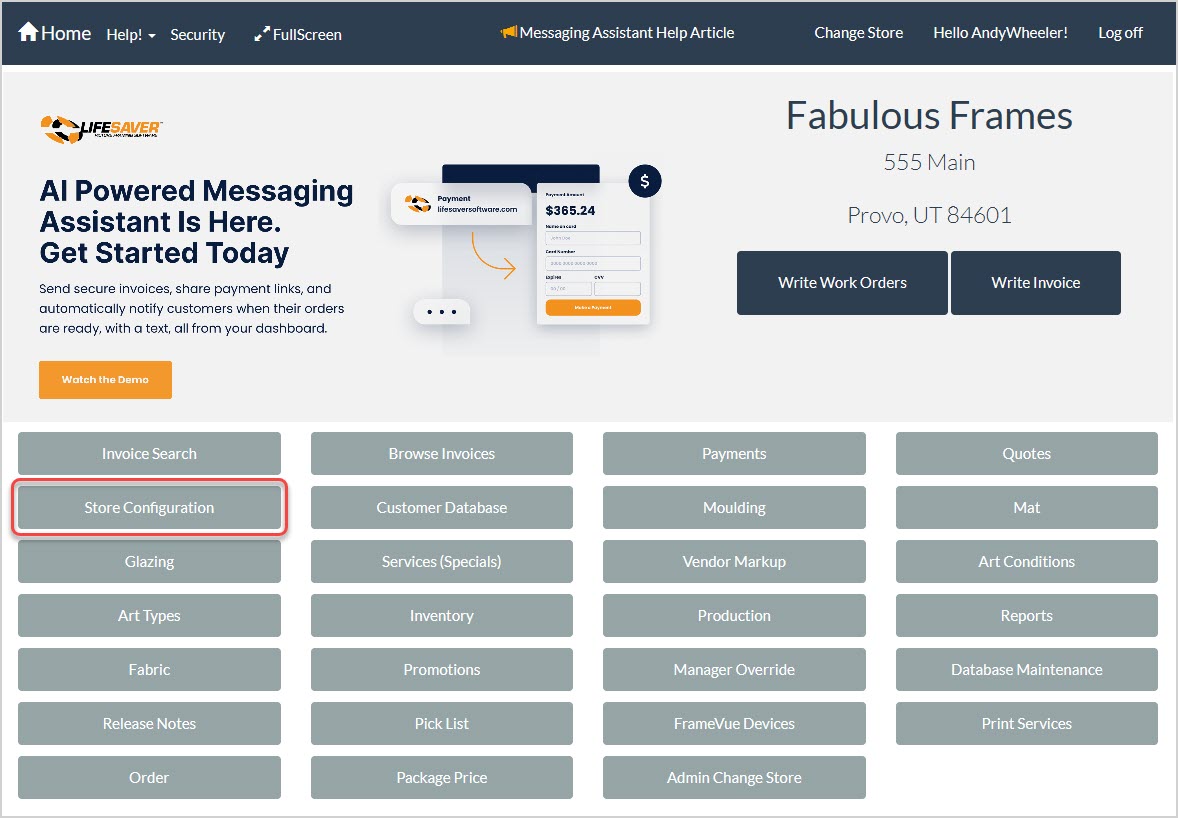
To access the credit card processor setup area of the LifeSaver Software software, click the Store Configuration button on your Home page and then click the Credit Card Processor tab.
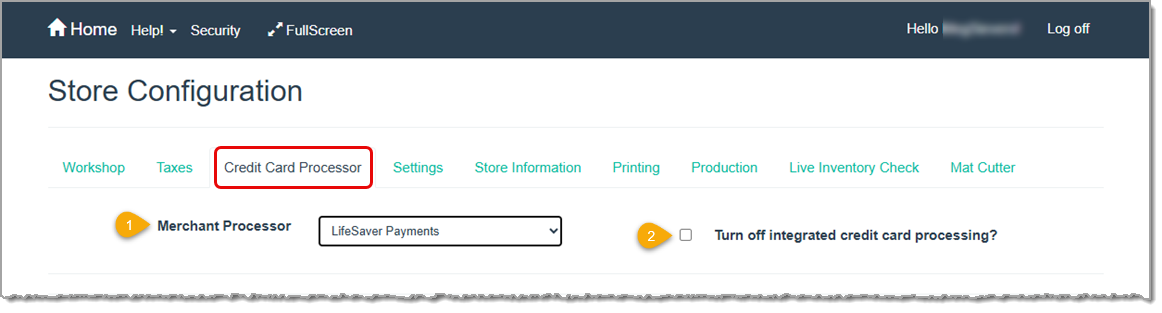
With LifeSaver Software Payments, you can eliminate multiple systems and easily accept payments online and in-store. The plug-and-play terminal system makes setup quick and easy.
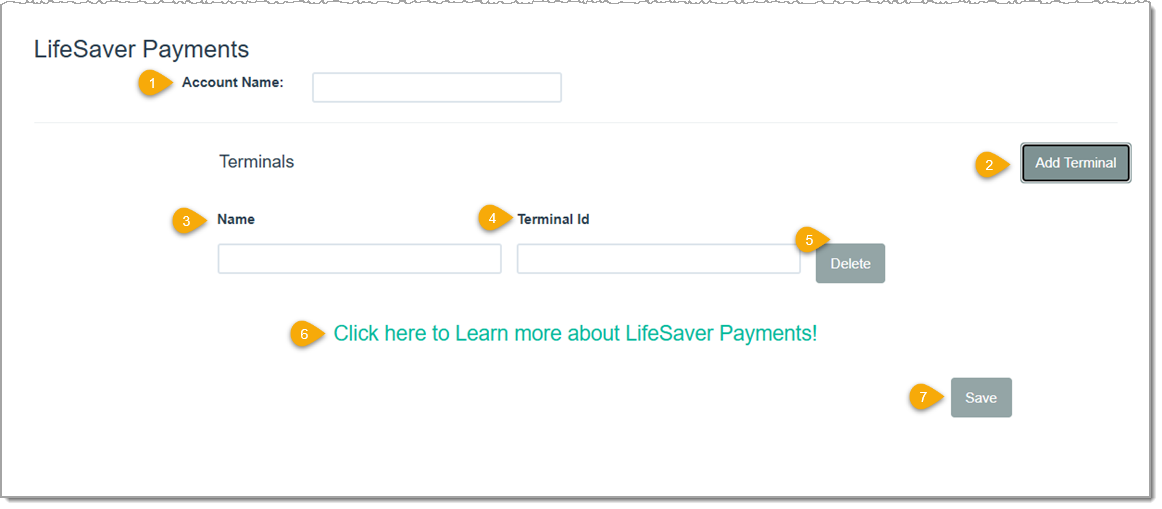
If you want to use LifeSaver Software Payments, click the link labeled #6 above and fill out the form. A Hardware Specialist will contact you and walk you through the setup. If you are new to LifeSaver Software Payments it is likely this page has already been configured for you.
Working with Production Statuses
Process a Payment on an Invoice
Q: How do I integrate credit card payments?
A: The LifeSaver Software team will set up your card processing as part of your onboarding process. If you have questions, you can contact LifeSaver Software Support at the info listed below.
Q: I have a question, but I can't find my answer here, how do I get more assistance?
A: You can ask any question at the link below, once received one of our technicians will be in touch! If you need immediate assistance, the LifeSaver Software team is available Monday through Friday, from 9:00am to 6:00pm Eastern time. Feel free to contact our support team at: 1-800-381-0600, extension 2. Or you can email us at support@lifesaversoft.com and we will respond within 24-hours.
Is this page helpful?
×Help us improve our articles