
Store Configuration - Settings
The primary system configuration area for LifeSaver Software is the Settings tab on your Store Confi

 October 13, 2025
The Taxes tab of your Store Configuration page lets you set labor and material tax rates for your location, including jurisdictions such as city, county, state, local, regional, and national.
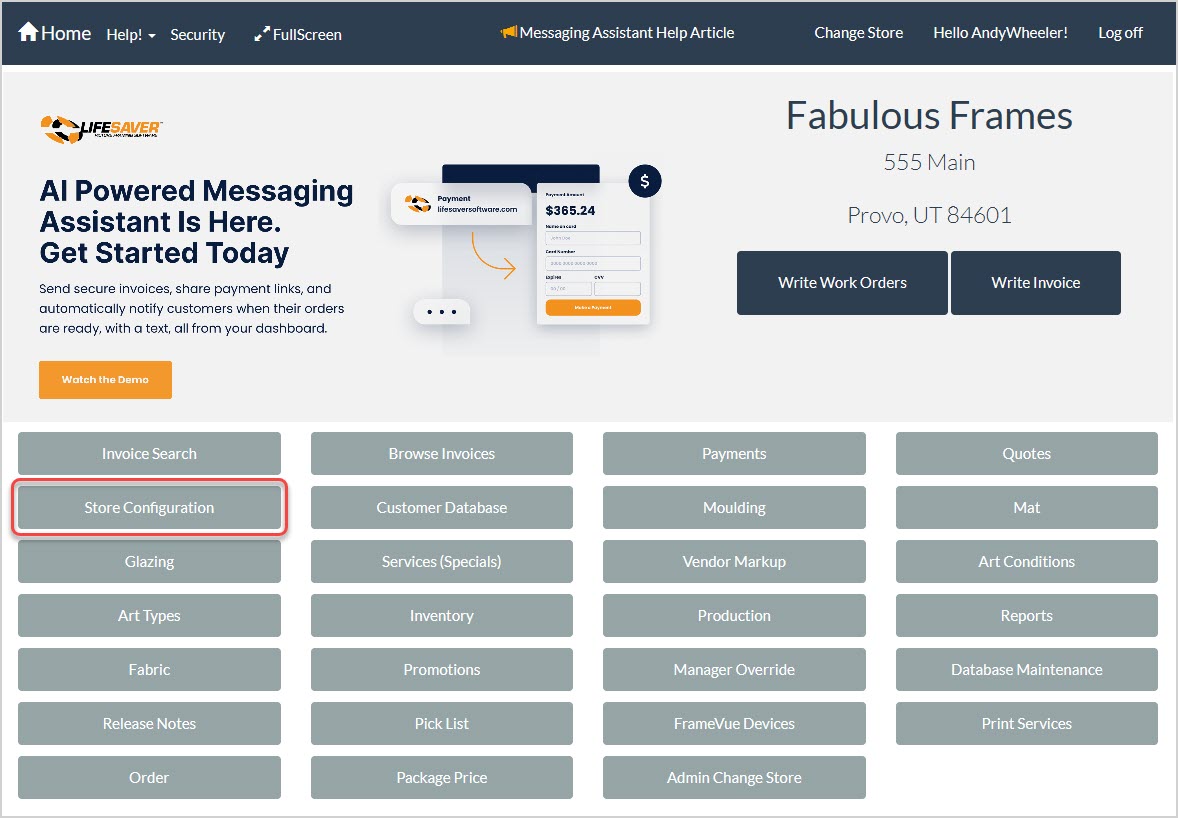
To access the Taxes setup area of the LifeSaver Software software, click the Store Configuration button on your Home page and then click the Taxes tab.
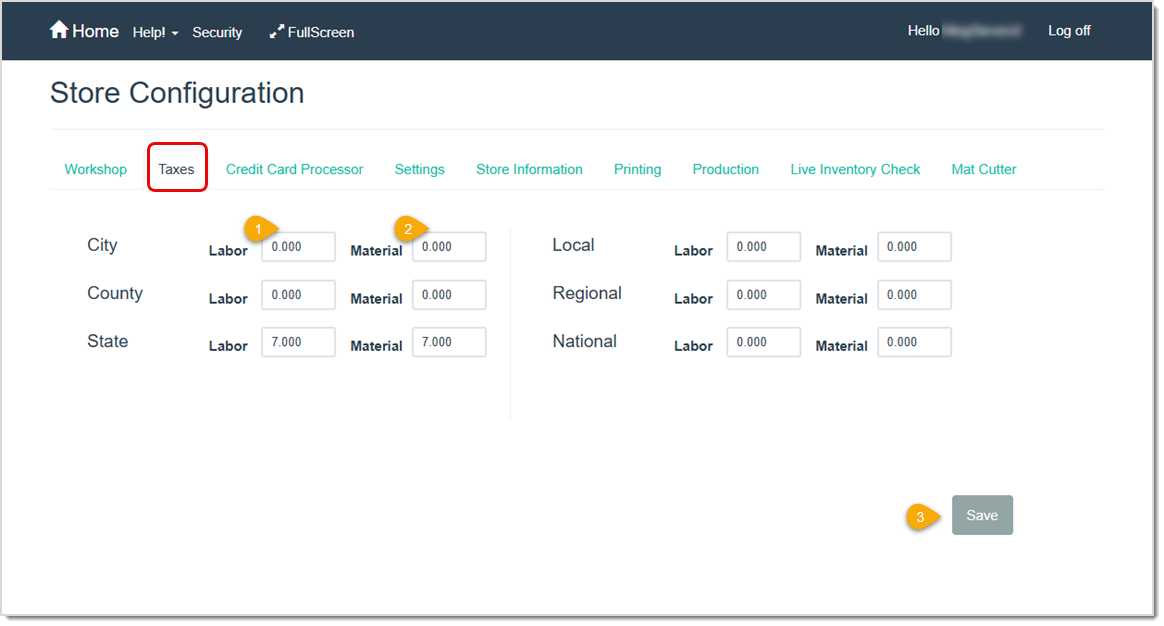
Pro Tip: Be sure you understand your local tax regulations before entering any tax rates here.
Working With Production Statuses
Q: What if I have a second store location in a city with a different tax rate?
A: If you have store locations in an area with different tax rates you will need a separate LifeSaver Software account for that location.
Q: What if I need to sell something with a tax exemption?
A: If you are selling an item that is tax exempt but the majority of the sale is not exempt, you can select the Tax Exempt box for that item on the Invoice at the time of the sale.
Q: What if I sell some inventory that is taxed differently than the majority of my inventory?
A: There currently isn’t an option for this in LifeSaver Software. A work-around would be to temporarily change the tax rate as described above.
Q: I often ship products to people in areas with a different tax rate than my own. How do I handle that?
A: There currently isn’t an option for this in LifeSaver Software. A work-around would be to temporarily change the tax rate as described above.
Q: I have a question, but I can't find my answer here, how do I get more assistance?
A: You can ask any question at the link below, once received one of our technicians will be in touch! If you need immediate assistance, the LifeSaver Software team is available Monday through Friday, from 9:00am to 6:00pm Eastern time. Feel free to contact our support team at: 1-800-381-0600, extension 2. Or you can email us at support@lifesaversoft.com and we will respond within 24-hours.
Is this page helpful?
×Help us improve our articles