Surcharging for Moulding

August 19, 2026
The LifeSaver Framing Software allows you to add Surcharging to your invoicing for moulding as a means of recovering some of your cost on moulding inventory. This article will show you how you can set up Surcharging by Vendor. Take a look at what it can do for you!
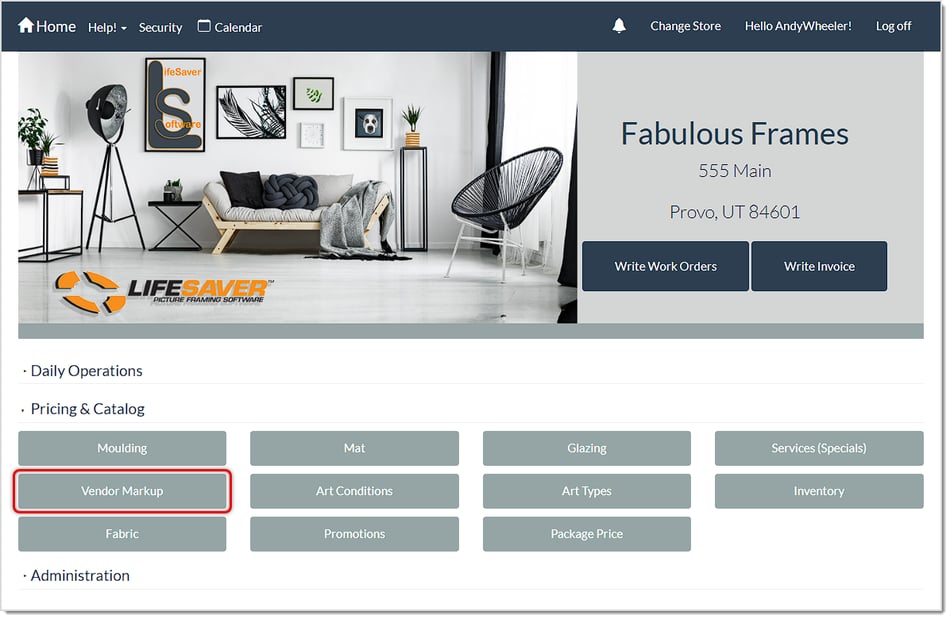
To start working on your Moulding Surcharges, log into the system Admin and go to Vendor Markup in the Pricing & Catalog section.
Add Surcharging to Vendor Moulding
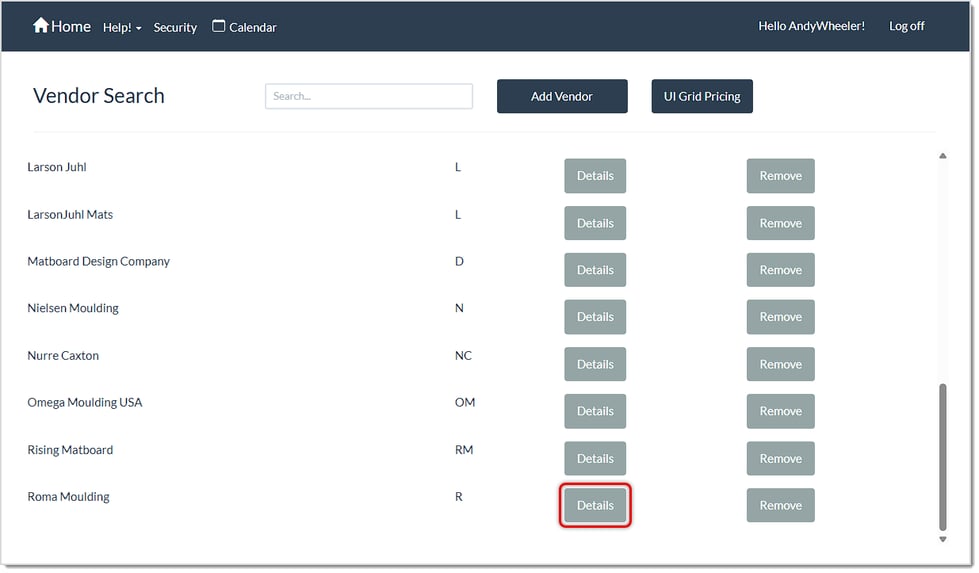
On the Vendor Markup page, you can either Search for the vendor you want, or you can scroll down the list. Click on the Details button for the vendor to which you want to add Surcharging.
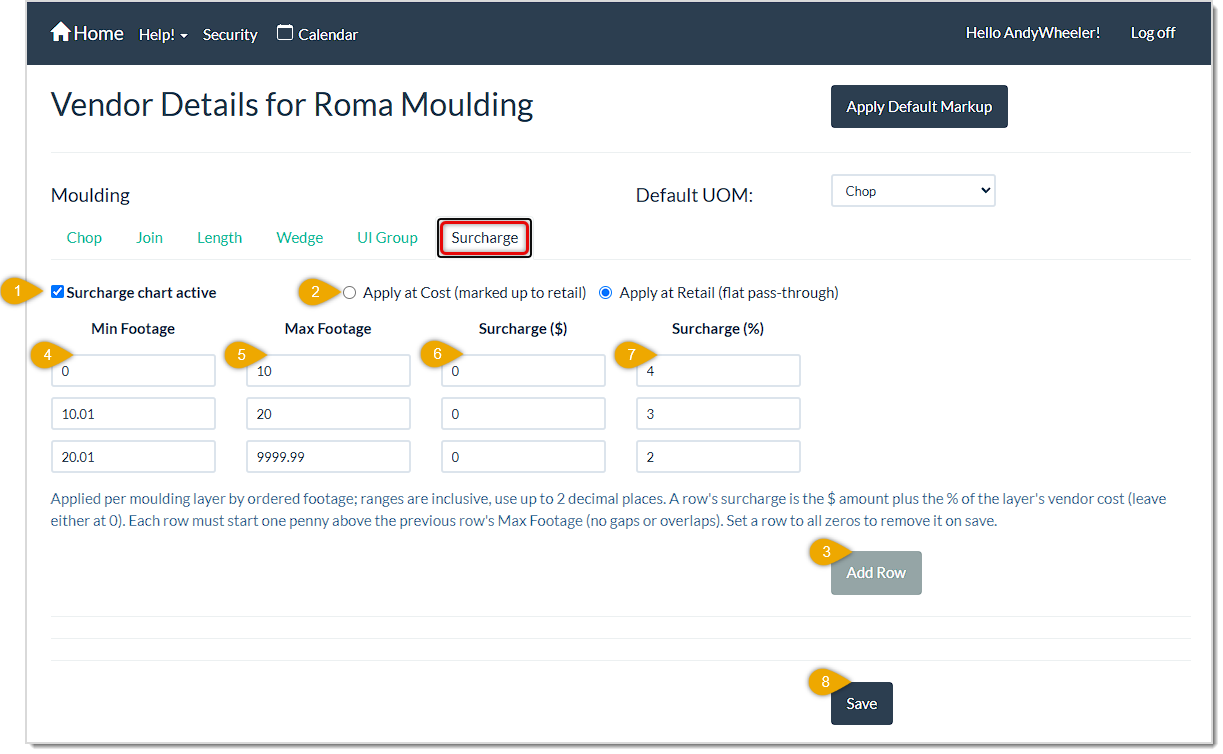
Here is how to set up Surcharging for a vendor's moulding:
- Check the box to make the Surcharge Chart Active.
- Choose whether you want the Surcharge to apply at the Cost level, or at the Retail level (do you wish the charge to add to your base Cost or to the Retail base price?). Click the radio button for your choice, if it's not already selected.
- Click the Add Row button to add the first row to the form.
- If you plan to do tiered surcharging, as in the example above, set the Minimum Footage at which you want the surcharging to begin to apply.
- Set the Maximum Footage at which the current row's surcharging will apply.
- If you wish to apply a fixed Dollar Amount Surcharge to the footage range you have set for the current row, enter that amount here (without the dollar sign).
- If you wish to apply a Percentage Surcharge to the footage range you have set for the current row, enter that number here (without the percentile sign).
- Continue adding rows as needed until you have your entire Surcharging matrix, or just enter a single row to cover all of your moulding footage. As you add rows, the new row's Minimum Footage will start at .01 greater than the previous row's Maximum Footage, and your final row will have Max footage of effectively unlimited. When you are done adding rows, click the Save button to save the surcharges.
Important Note: This function is only available if you are subscribed to LifeSaver Software’s Enterp
The Moulding page lets you view Moulding details and create your in-stock store inventory of Mouldin
The Mats page is an essential part of the LifeSaver Software software that lets you view Mat details


Is this page helpful?
×Help us improve our articles