
Working With Database Maintenance
Important Note: This function is only available if you are subscribed to LifeSaver Software’s Enterp

 October 09, 2025
Fabric can be utilized in framing in a variety of ways, so knowing how to work with the Fabric page in the LifeSaver Software System is necessary. In this article, you will find information on all of the Fabric functions as well as Fabric vendors. Keep reading to find out more.
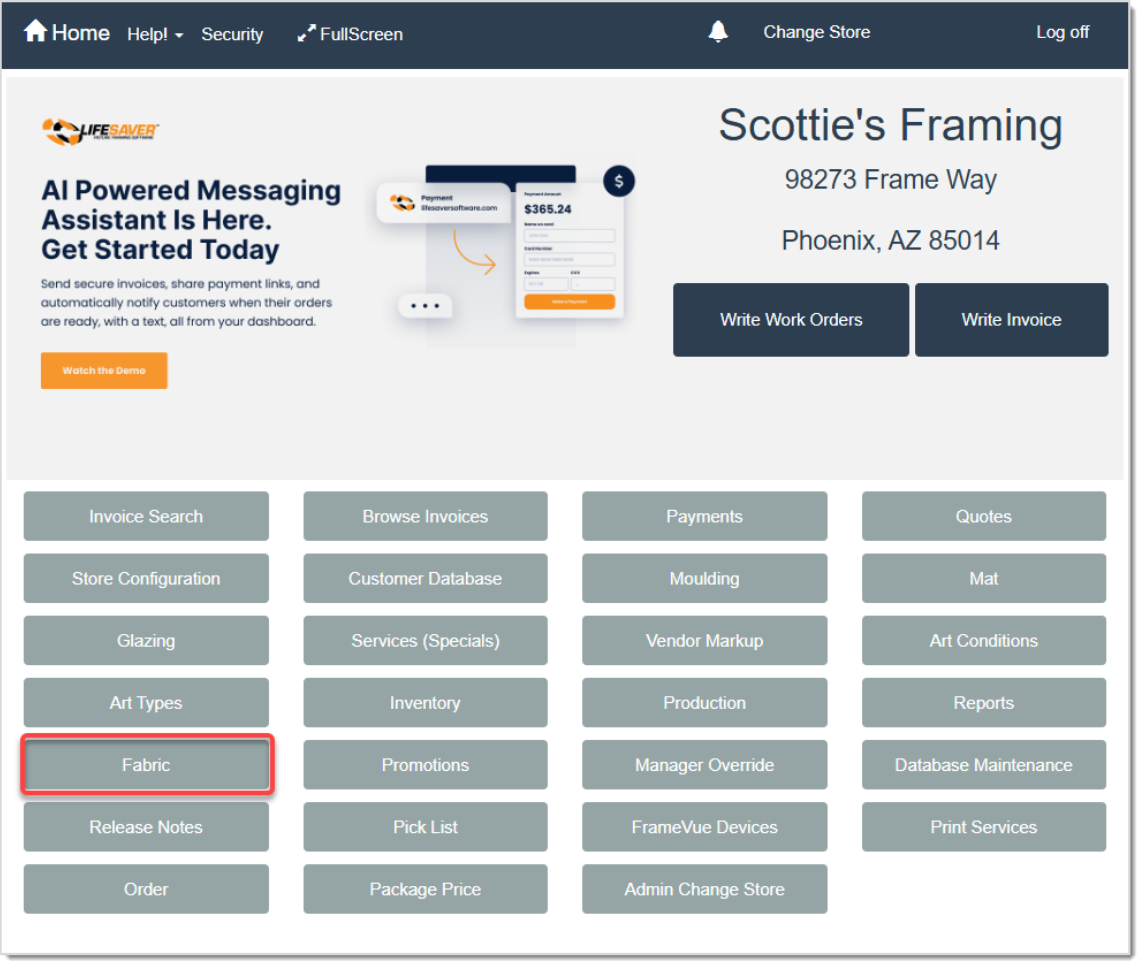
To access this function, click the Fabric button on the LifeSaver Software Home page.
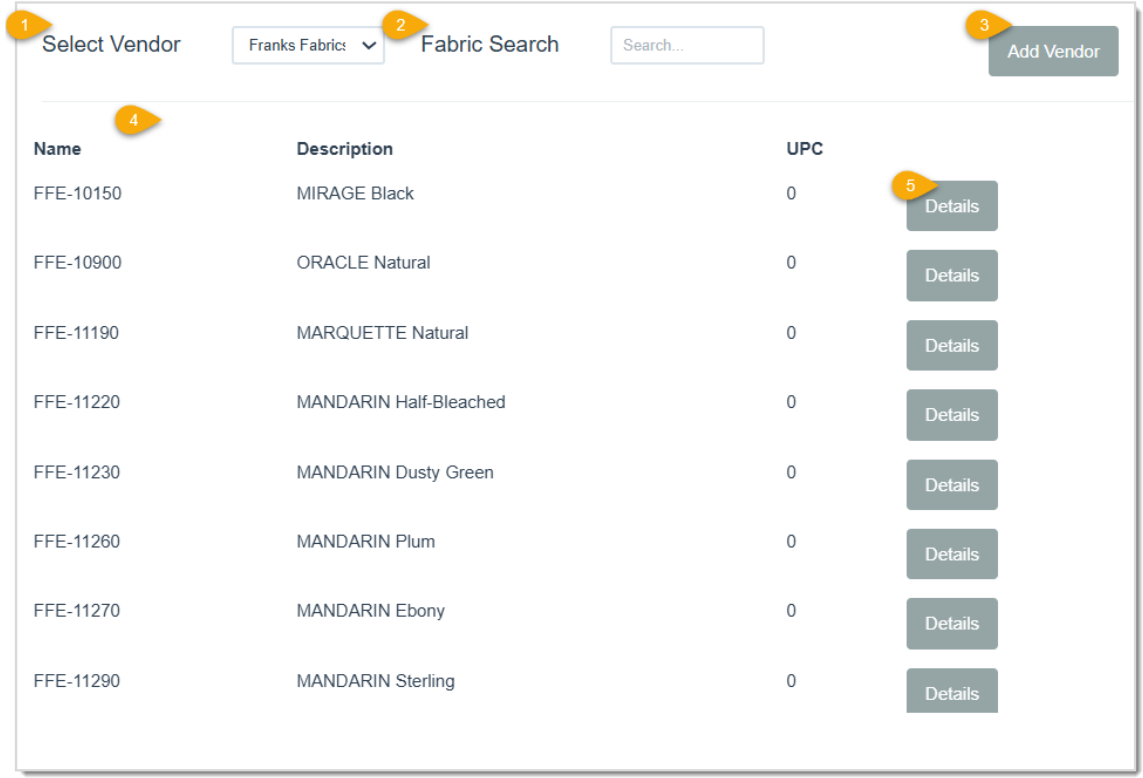
Before working with the Fabric vendors on this page, it’s important to understand what each function does:
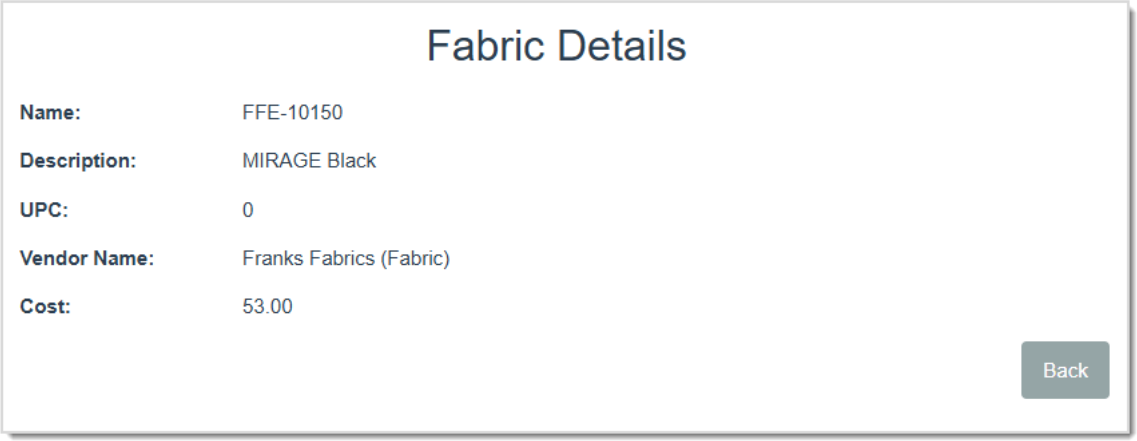
By clicking the Details button on the Fabric page, you open the Fabric Details for the associated Fabric item. This page will give you the Name and Description of the item, the UPC (Universal Product Code) number, the Vendor Name, as well as the Cost per yard. Click the Back button to navigate to the Fabric page.
You will need to set your markups for each Fabric vendor you added to your database to determine your store’s retail cost for each vendor’s products. The following categories can be set for each: Minimum price to Maximum price range, the Markup Amount and the Vendor Discount. The costing method for fabric is calculated by yard.
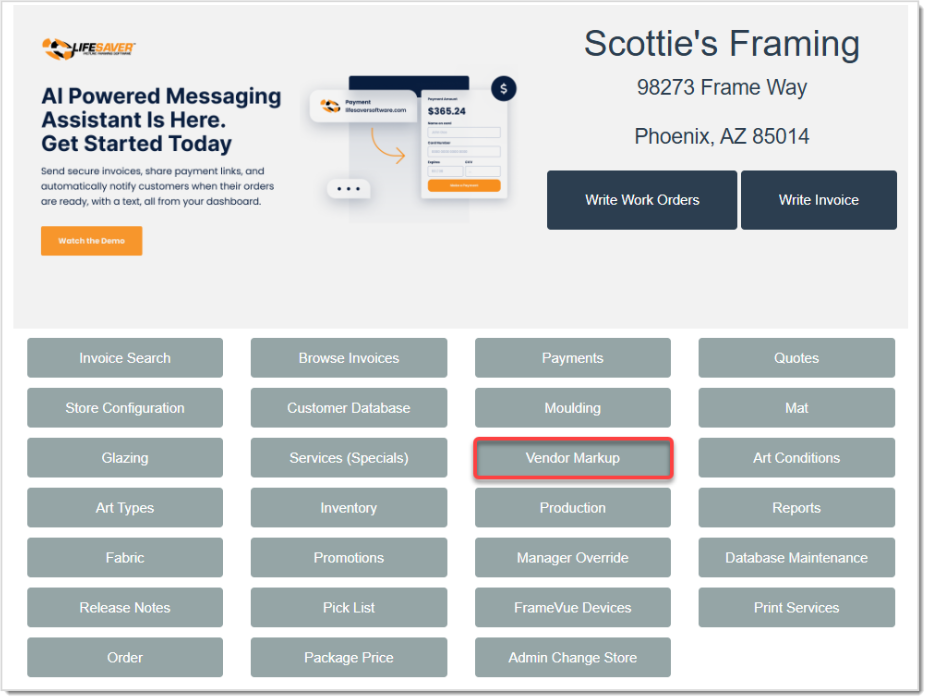
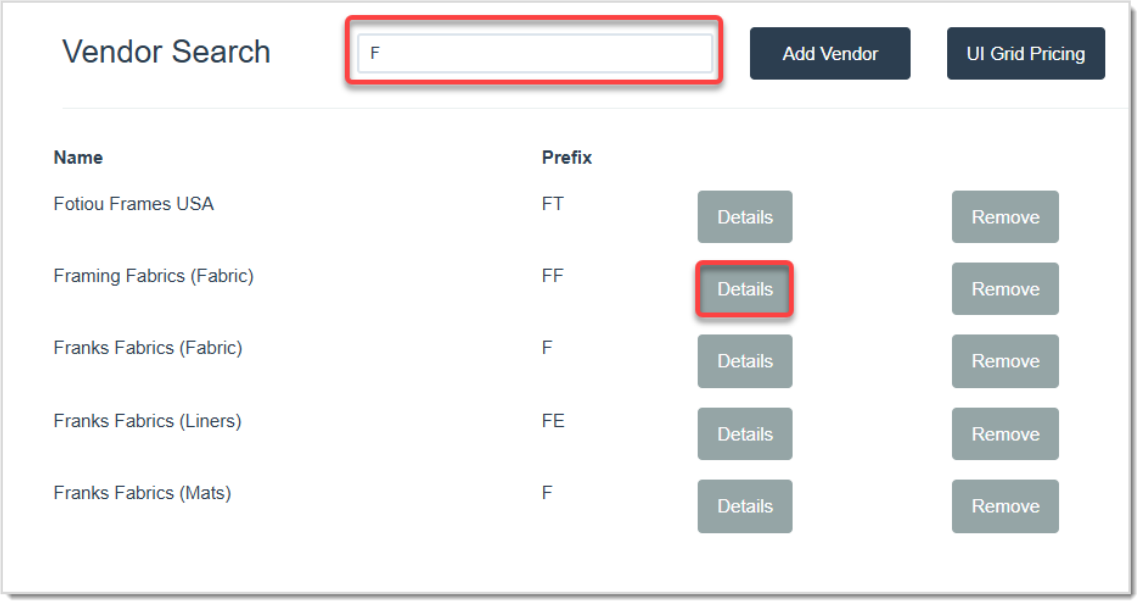
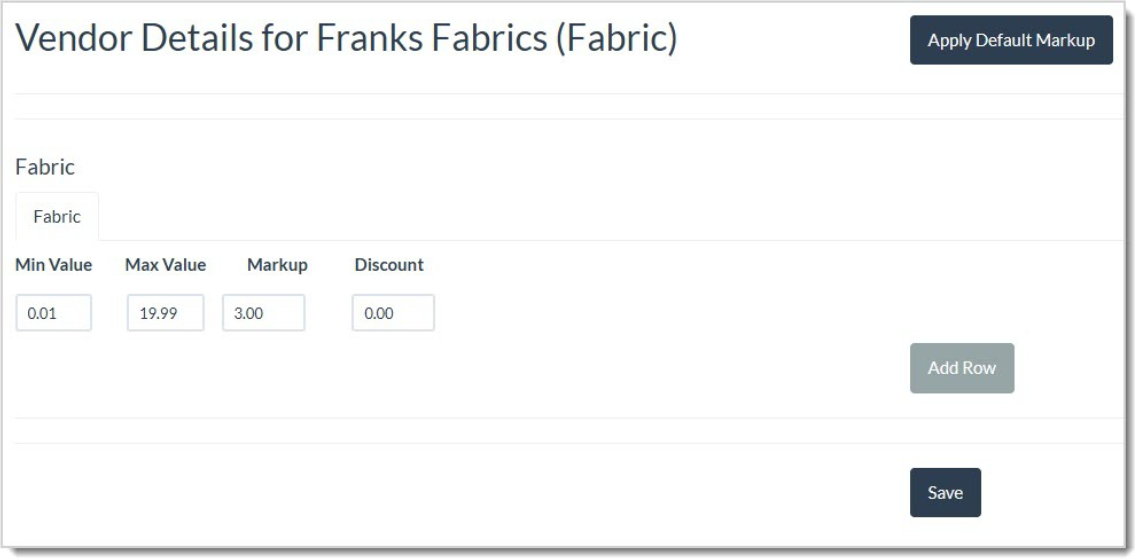
💡Pro Tip: You can manually delete existing data in the markup fields to remove and enter in new data.
For more information on Vendor Markups, click the link below for Working with Vendors.
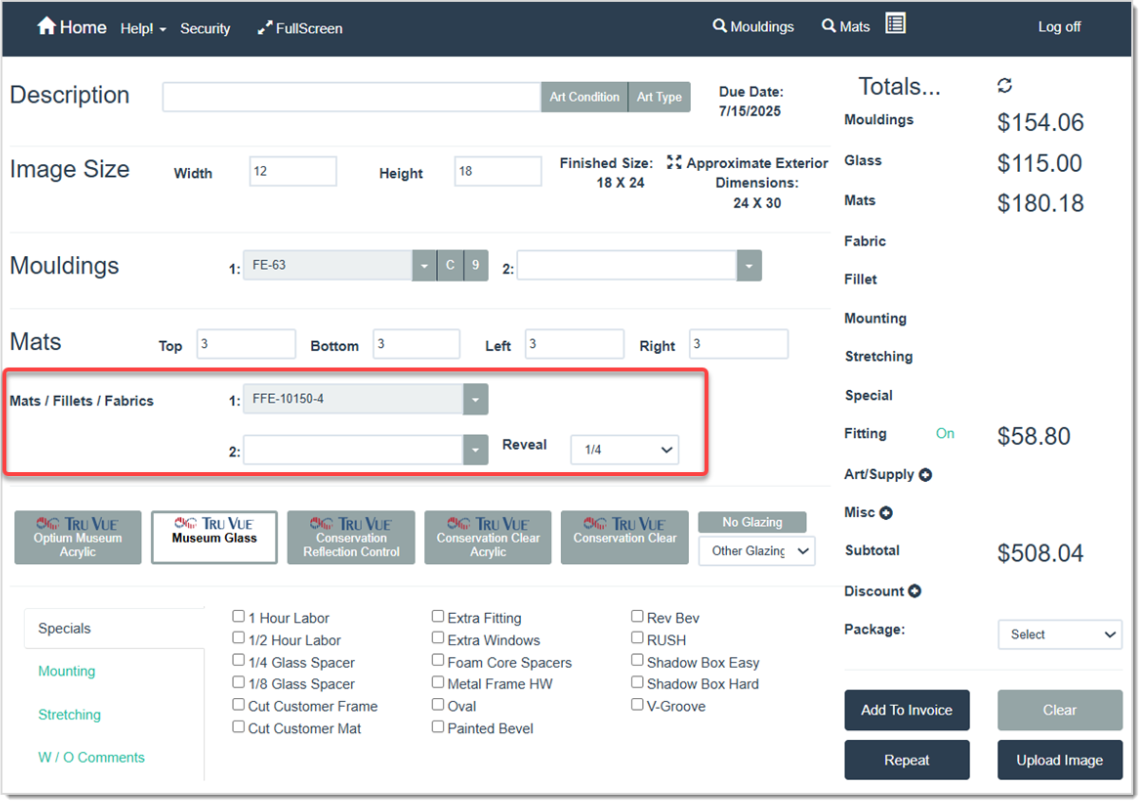
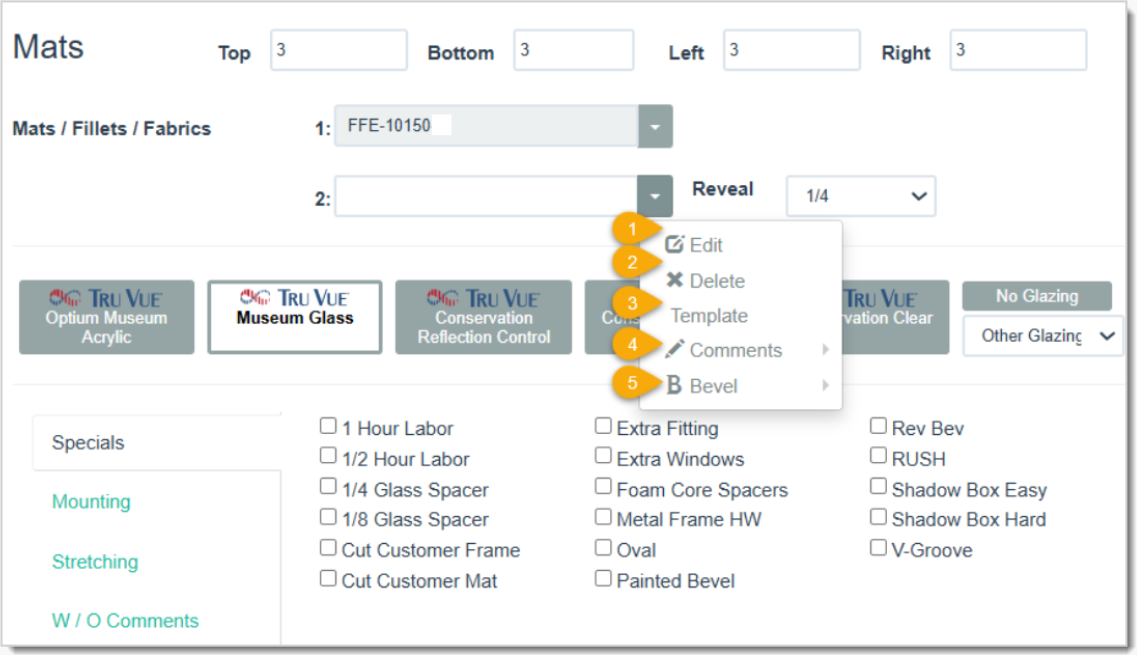
To add a fabric to your order, type in the fabric item number into the highlighted field above labeled Mats / Fillets / Fabrics. Within this field, clicking the arrow will reveal drop-list menu items:
Q: I have a question, but I can't find my answer here, how do I get more assistance?
A: You can ask any question at the link below, once received one of our technicians will be in touch! If you need immediate assistance, the LifeSaver Software team is available Monday through Friday, from 9:00am to 6:00pm Eastern time. Feel free to contact our support team at: 1-800-381-0600, extension 2. Or you can email us at support@lifesaversoft.com and we will respond within 24-hours.
Is this page helpful?
×Help us improve our articles