
Your Processing Payment Portal
Payment Portal The Payment Portal is a dashboard included as part of our payments offering. It allow

 October 13, 2025
The Paid in Full Reports are a great feature for store owners and managers who need to track orders that have been fully settled. This article will help you understand how to generate and use the Paid in Full Report or the Paid In Full Monthly Report in LifeSaver Software Software so you can quickly see all orders that no longer carry a balance.
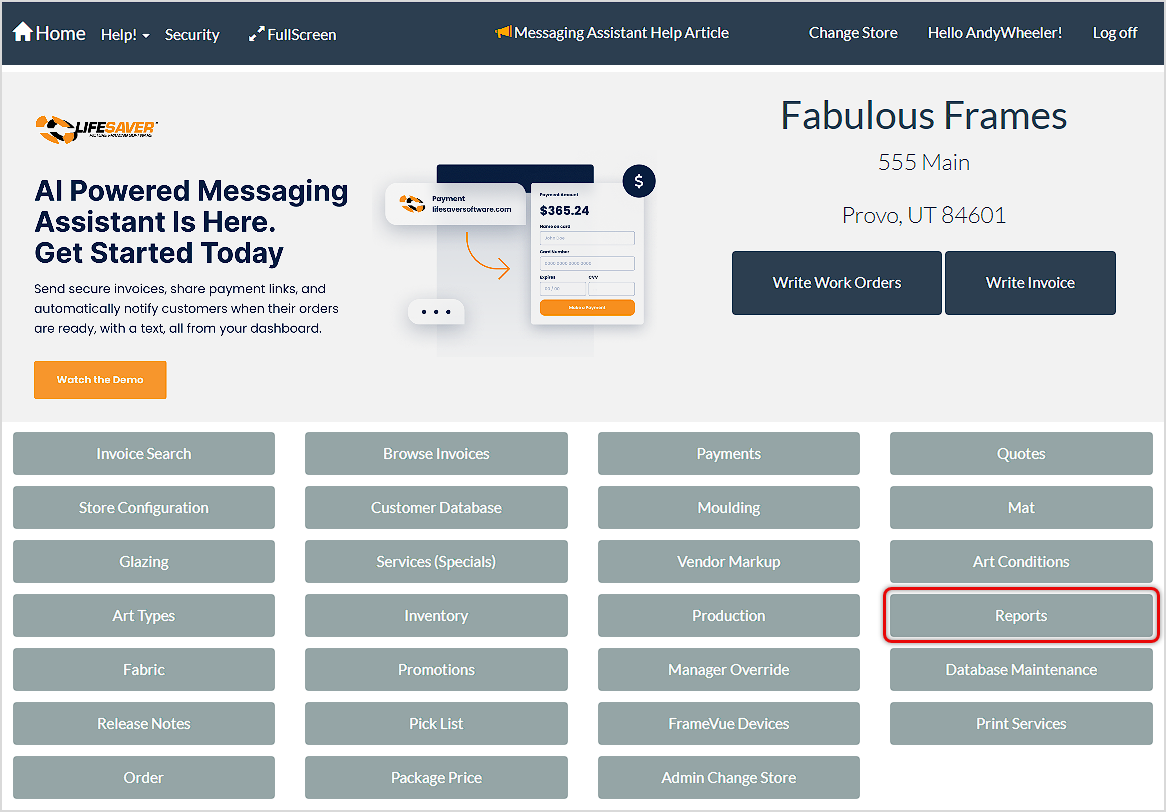
To get started, click on the Reports button on the main Home page. Then, on the Reports menu, click Paid in Full to view the list of orders that are fully paid.
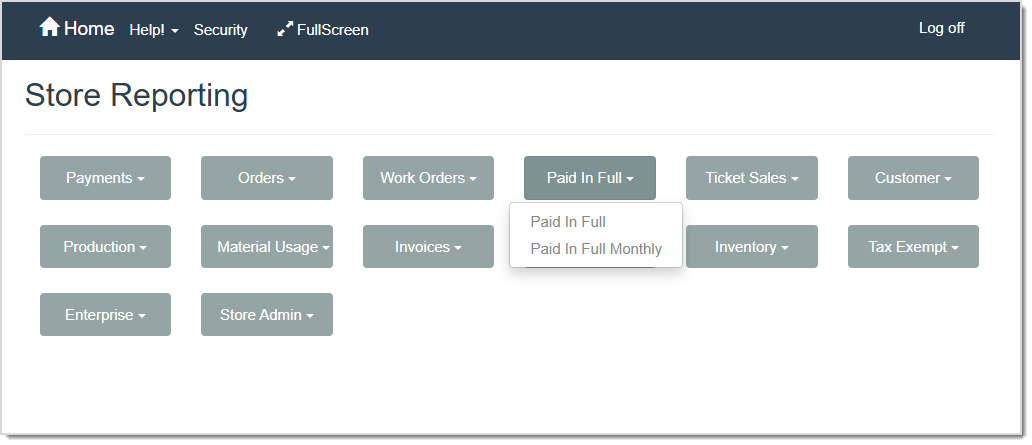
Paid in Full Report
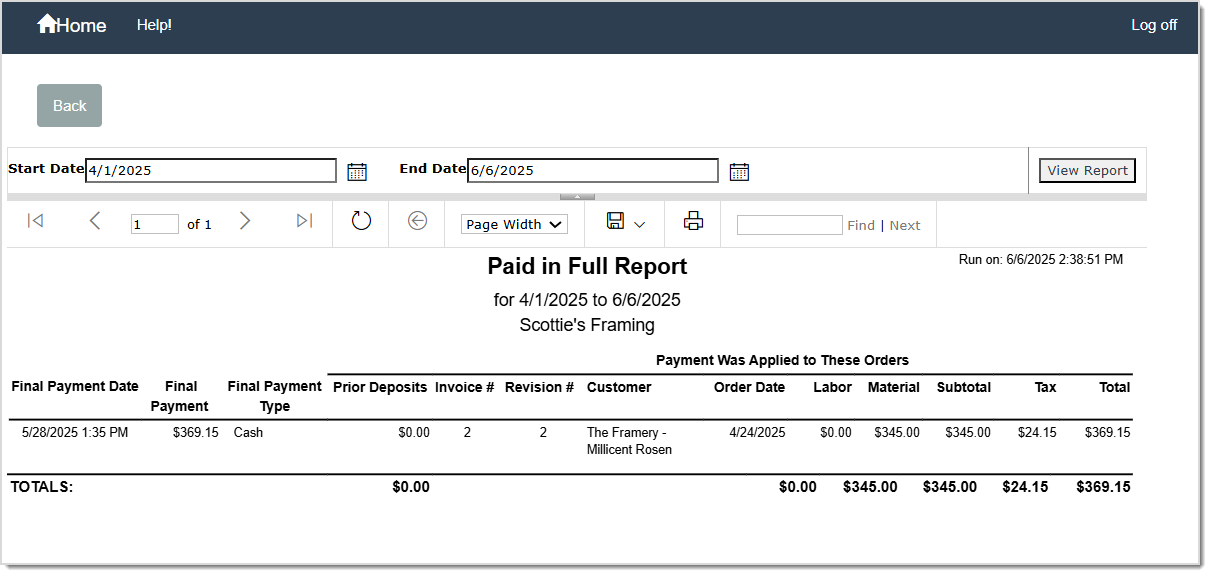
The Paid in Full Report lists all invoices that have been completely paid for within a selected date range. This report offers more detail than the Paid In Full Monthly Report.
The Paid in Full Report displays the following details:
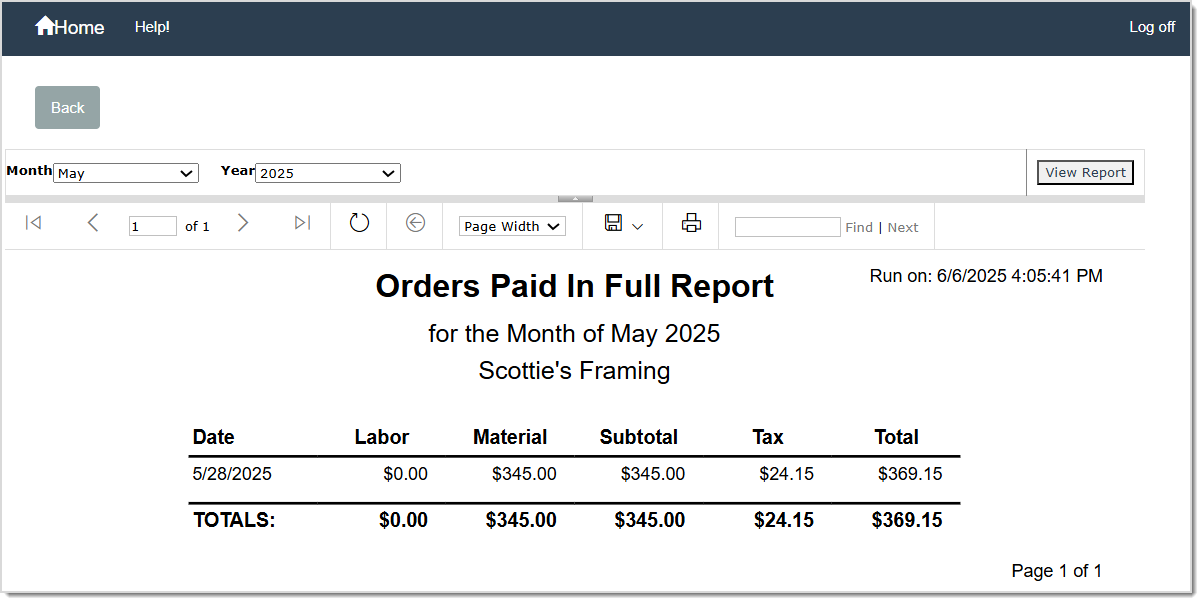
This Report lists the Paid In Full total dollar amount per day and date for the Month and Year selected. This report offers a simplified view of the information on the Paid In Full Report.
The Paid In Full Monthly Report includes the following details:
Q: Can I edit an order that is fully paid?
A: You can, but you will see a prompt about making changes to a paid invoice. If pricing changes, you may need to record additional payment or issue a refund. If you want to avoid changing the total, you can use Price Lock when editing.
Q: I have a question, but I can't find my answer here, how do I get more assistance?
A: You can ask any question at the link below, once received one of our technicians will be in touch! If you need immediate assistance, the LifeSaver Software team is available Monday through Friday, from 9:00am to 6:00pm Eastern time. Feel free to contact our support team at: 1-800-381-0600, extension 2. Or you can email us at support@lifesaversoft.com and we will respond within 24-hours.
Is this page helpful?
×Help us improve our articles